Eposters are designed to reboot at certain intervals to clear memory issues that may be caused by the Android OS that is running on the unit.
To disable the unit from rebooting
1. Using the remote control press Input 2, 5, 8, 0 to get into the factory menu
2. Scroll down to "Other Options" in the menu (Image 1)
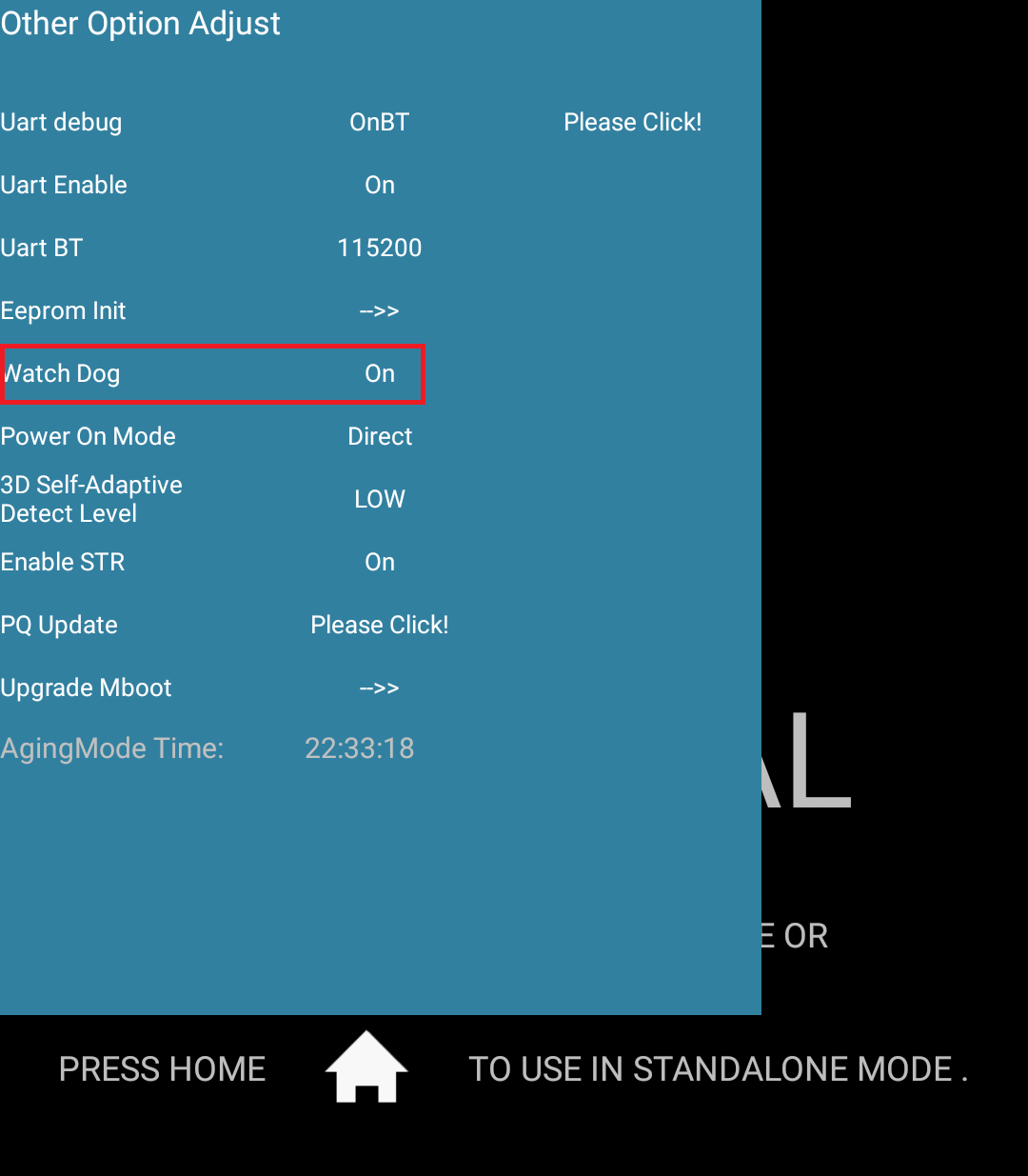
3. Scroll down to "Watch Dog" and set it to Off (Image 2)
Note: The unit can be manually rebooted at any time if needed.
Image 1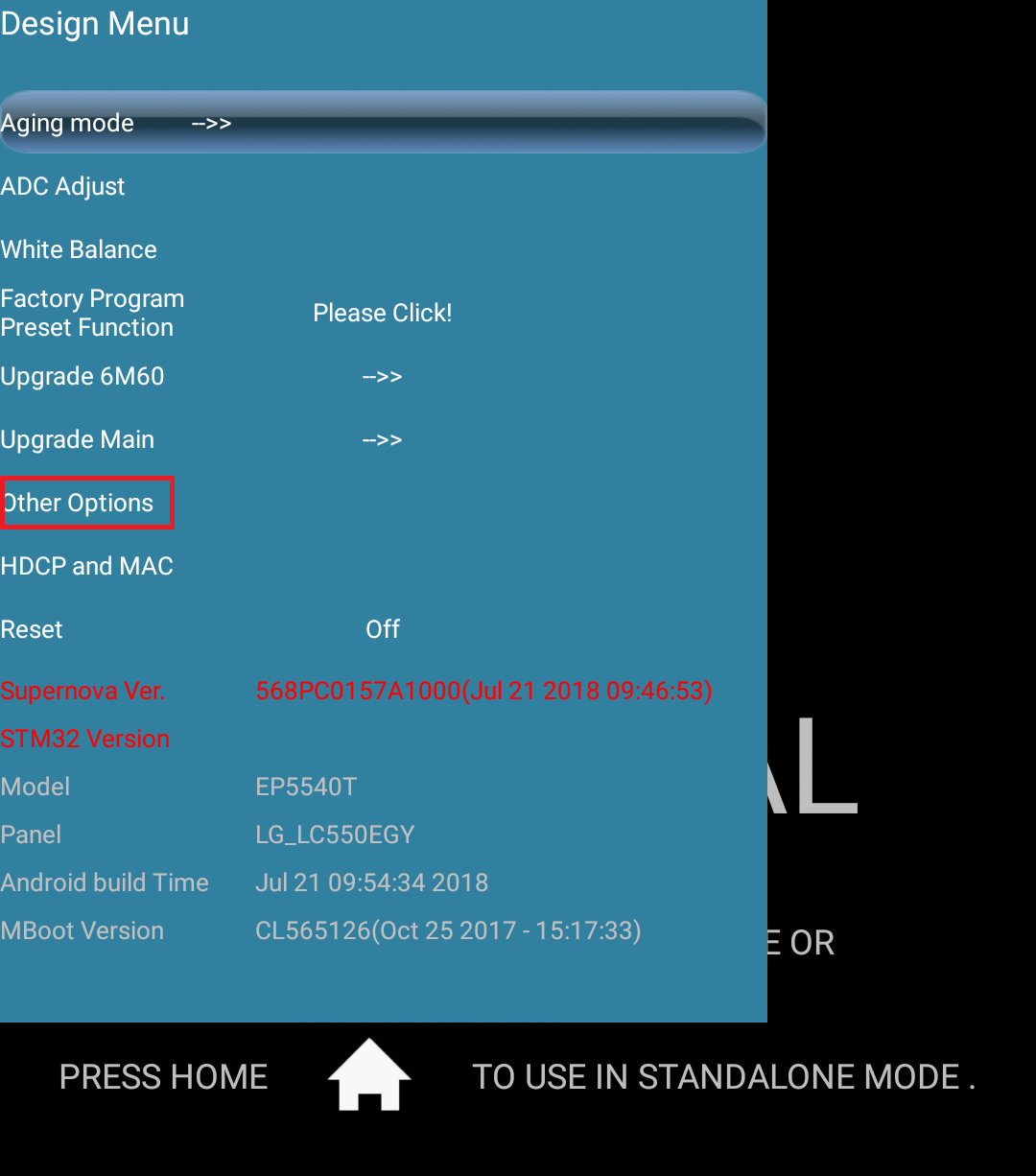
Image 2
Was this article helpful?
That’s Great!
Thank you for your feedback
Sorry! We couldn't be helpful
Thank you for your feedback
Feedback sent
We appreciate your effort and will try to fix the article