Issue:
With the upgrade of USB versions from 2.0 to 3.0 or later, transmission efficiency has significantly improved. USB 3.0 and later versions utilize spread spectrum clocking to boost transmission rates, which generates 2.4GHz signals near the USB port. This may cause interference with wireless transmitters and Bluetooth receivers operating on the same frequency.
Affected Devices
Wireless devices operating on the 2.4GHz band, including:
Wi-Fi routers
Bluetooth peripherals
Wireless keyboards and mice
Symptoms
Interference may result in:
Slower wireless speeds
Increased latency
Intermittent disconnections
Complete loss of connection
Solutions
To mitigate interference, consider the following steps:
Exchange with another USB device: Try using a different USB device.
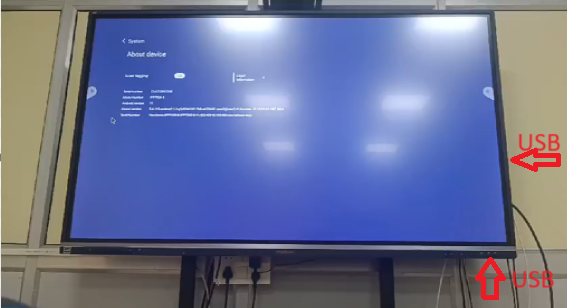
Distance the device: Move one of the USB devices farther away from the other.
Switch the frequency: Use wireless devices on the 5GHz band instead of the 2.4GHz band if possible.
- Signal interference between USB 3.0 and 2.4GHz wireless devices
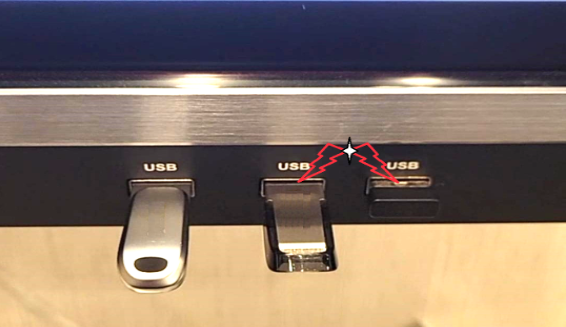
- Move one of the USB devices farther away from the other
Was this article helpful?
That’s Great!
Thank you for your feedback
Sorry! We couldn't be helpful
Thank you for your feedback
Feedback sent
We appreciate your effort and will try to fix the article