Applies to:
- IFP52-1A
- IFP52-1B
IMPORTANT NOTES
- Ensure the display has a stable internet connection.
- The Android upgrade download speed may vary, depending on the connection speed.
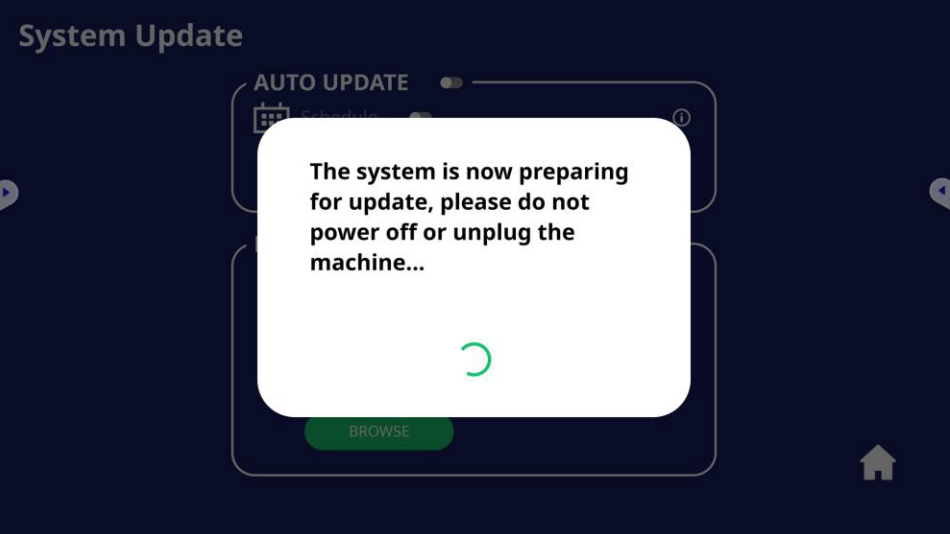
- The Android 11 firmware upgrade process may take 10-15 minutes to complete.
- DO NOT power off device during update as it may result in a non-functioning unit.
Identify the current Android version:
Verify the current Android version located in Settings > About Device.
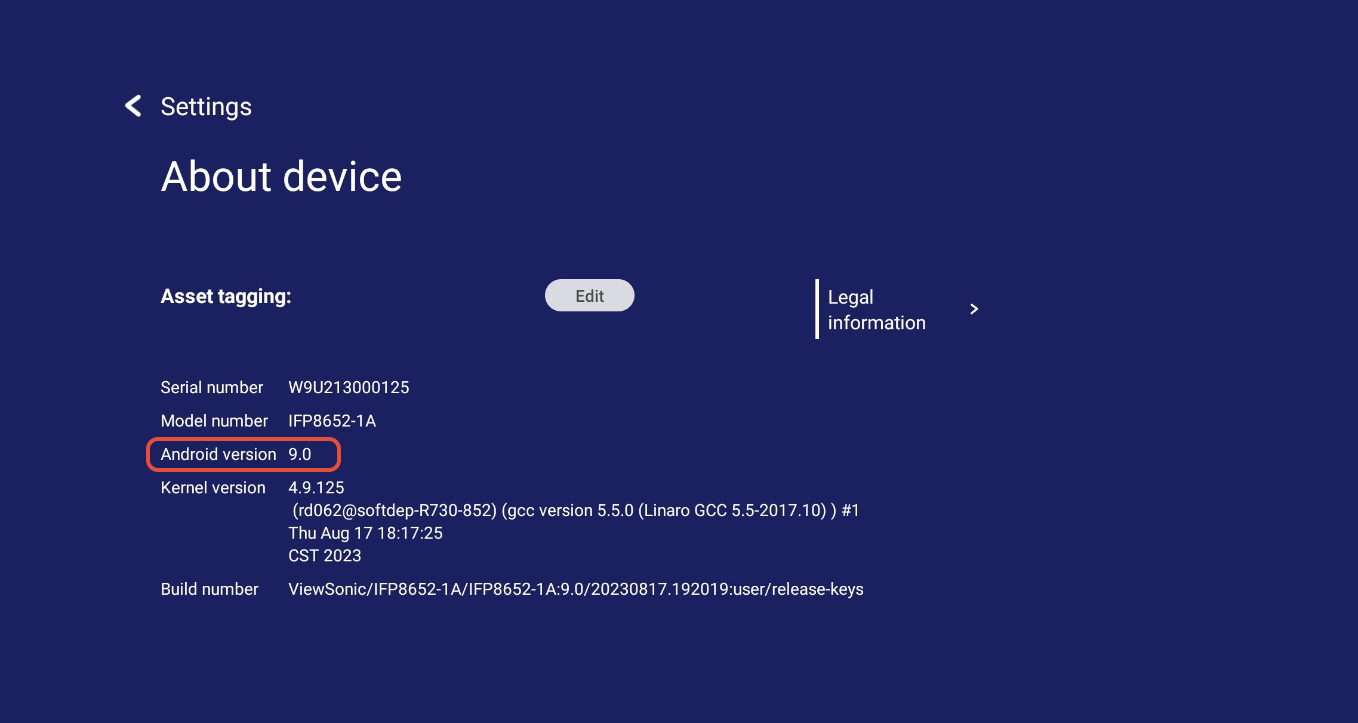
Instructions:
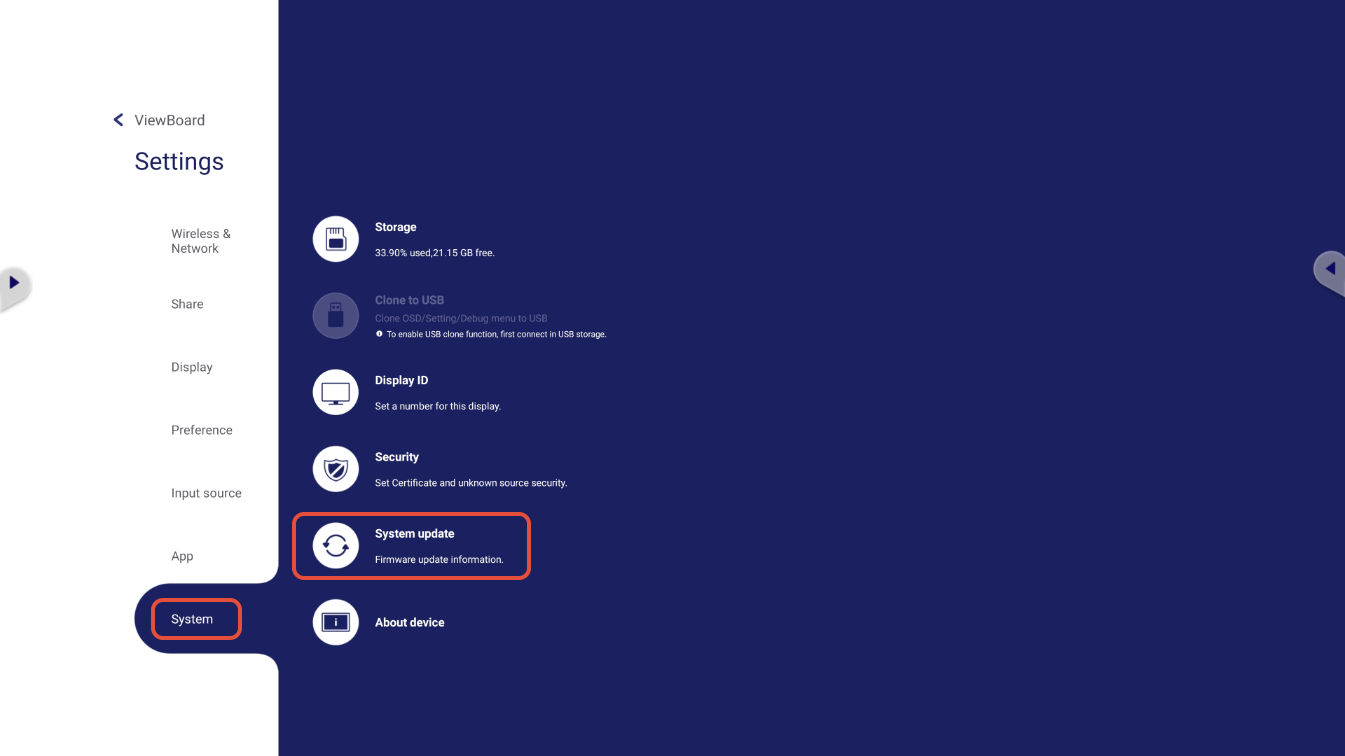
- Open the Settings menu.
- Go to Settings > System > System Update.
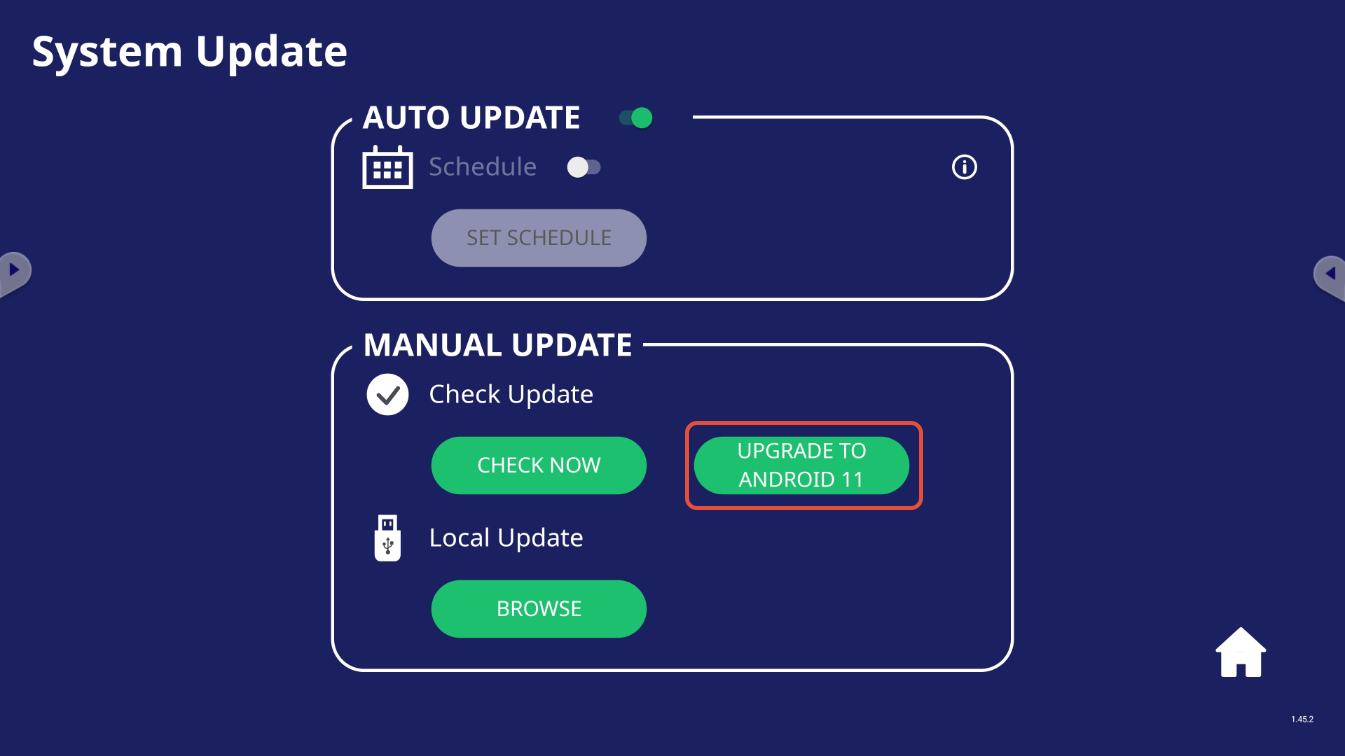
- Under System Update, click Upgrade to Android 11.
- The Android upgrade process may take 10-15 minutes to complete.
- Once completed, verify the Android version to confirm a successful application.
For additional questions, please contact ViewSonic's Support by submitting a support ticket HERE or by Phone: US: 800-688-6688, CAN: 866-463-4775. ViewSonic’s call center hours: M-F, 6 AM - 6 PM PST.
Was this article helpful?
That’s Great!
Thank you for your feedback
Sorry! We couldn't be helpful
Thank you for your feedback
Feedback sent
We appreciate your effort and will try to fix the article