Applies to:
- Commerical Displays (CDE)
- Interactive Flat Panels (IFP)
What is vSweeper?
vSweeper clears the cache memory to free up resources and maintain optimal performance. Since the displays are running an operating system, just like any other device such as a smartphone, they are constantly building it's cache memory and it is recommend to perform a periodical restart or simply clearing the cache memory to not experience performance degradation. The vSweeper application does exactly this in the background, without impacting the content or the usage of the display.
You can simply schedule the vSweeper application to run periodically, depending on the interval that is chosen within its settings. Here is how to set the schedule.
Instructions:
Instructions:
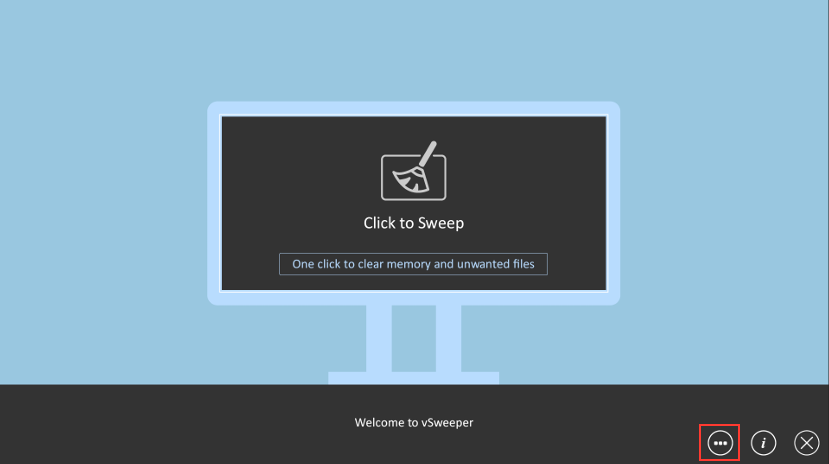
- Open vSweeper and tap on the 3 dotted icon on the bottom right side.
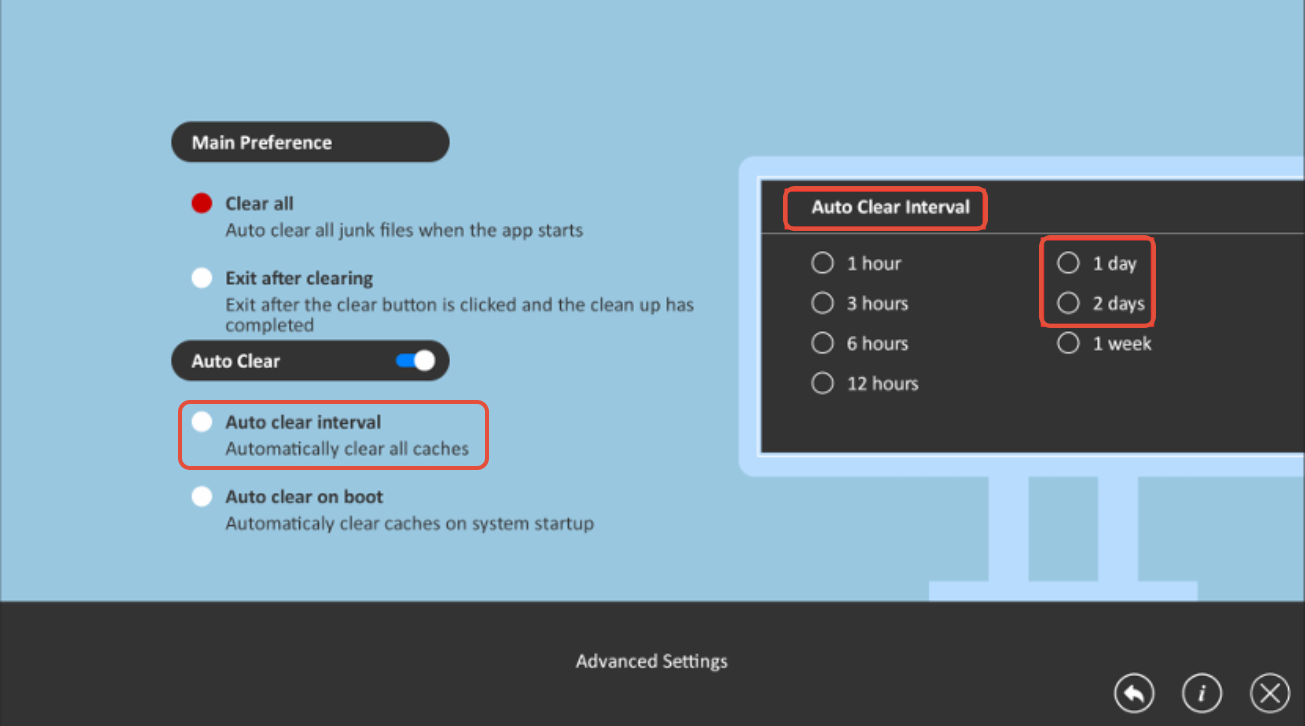
- We recommend setting the Auto Clear Interval to every 1 or 2 Days at minimum.
For additional questions, please contact ViewSonic's Support by submitting a support ticket HERE or by Phone: US: 800-688-6688, CAN: 866-463-4775. ViewSonic’s call center hours: M-F, 6 AM - 6 PM PST.
Was this article helpful?
That’s Great!
Thank you for your feedback
Sorry! We couldn't be helpful
Thank you for your feedback
Feedback sent
We appreciate your effort and will try to fix the article