Applies to:
- TRS-10UB
- UMB202
- MPC310-W31-TU
- MRC1010-TN
Instructions:
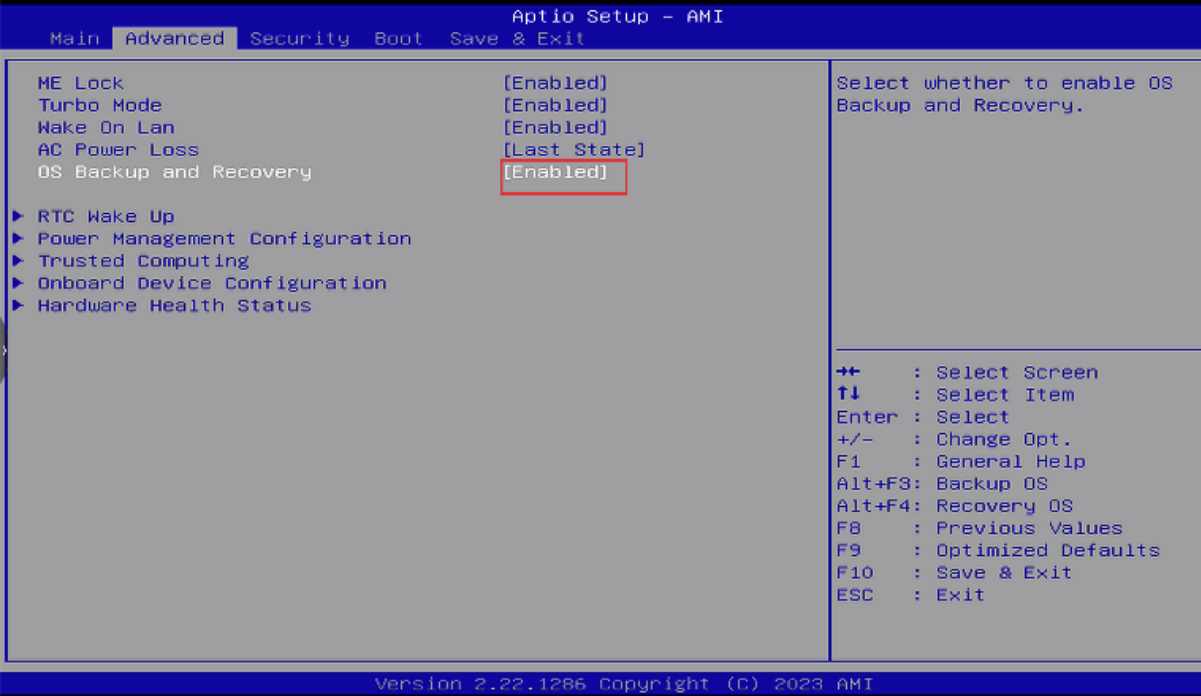
- Upon boot, press F2 to enter the BIOS screen.
- Go to Advanced -> OS Backup and Recovery -> Enabled
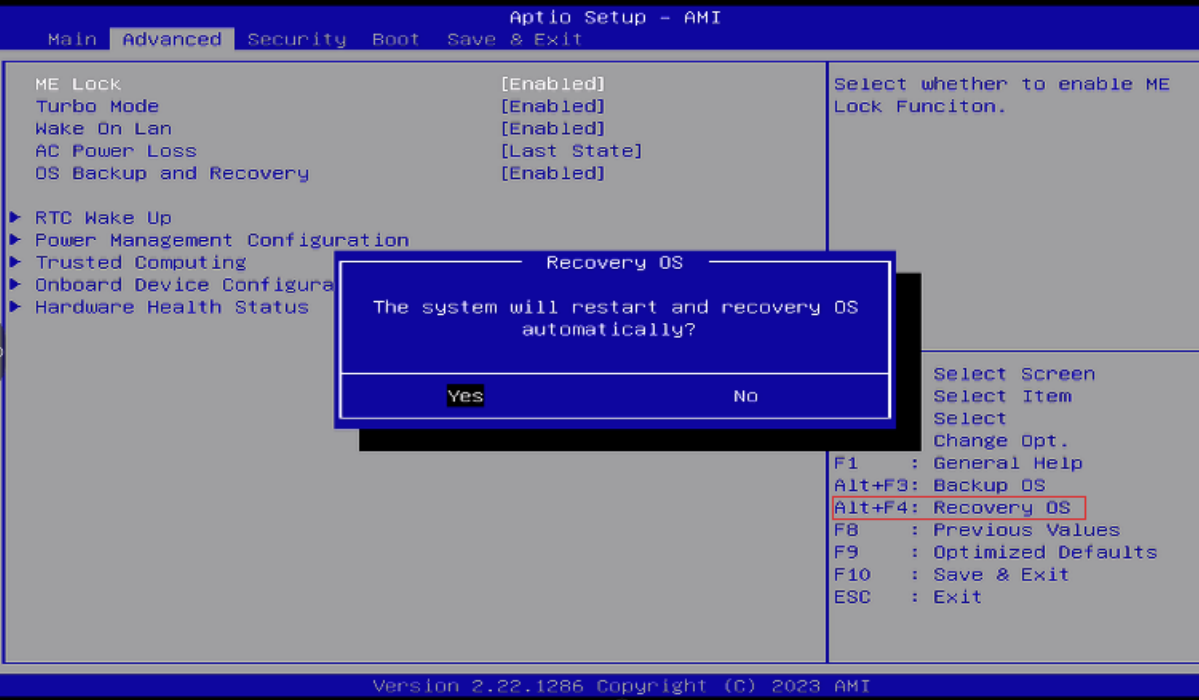
- Press Alt+F4 to restore the system.
For additional questions, please contact ViewSonic's Support by submitting a support ticket HERE or by Phone: US: 800-688-6688, CAN: 866-463-4775. ViewSonic’s call center hours: M-F, 6 AM - 6 PM PST.
Was this article helpful?
That’s Great!
Thank you for your feedback
Sorry! We couldn't be helpful
Thank you for your feedback
Feedback sent
We appreciate your effort and will try to fix the article