Applies to:
- CDE Displays
- IFP Displays
If the display's embedded player was disabled and wanted to re-enable it, please follow the instructions below.
Instructions:
- Use the Remote Control unit.
- Press INPUT 9-9-1 to open the debug menu.
- The menu will appear on the left of the display.
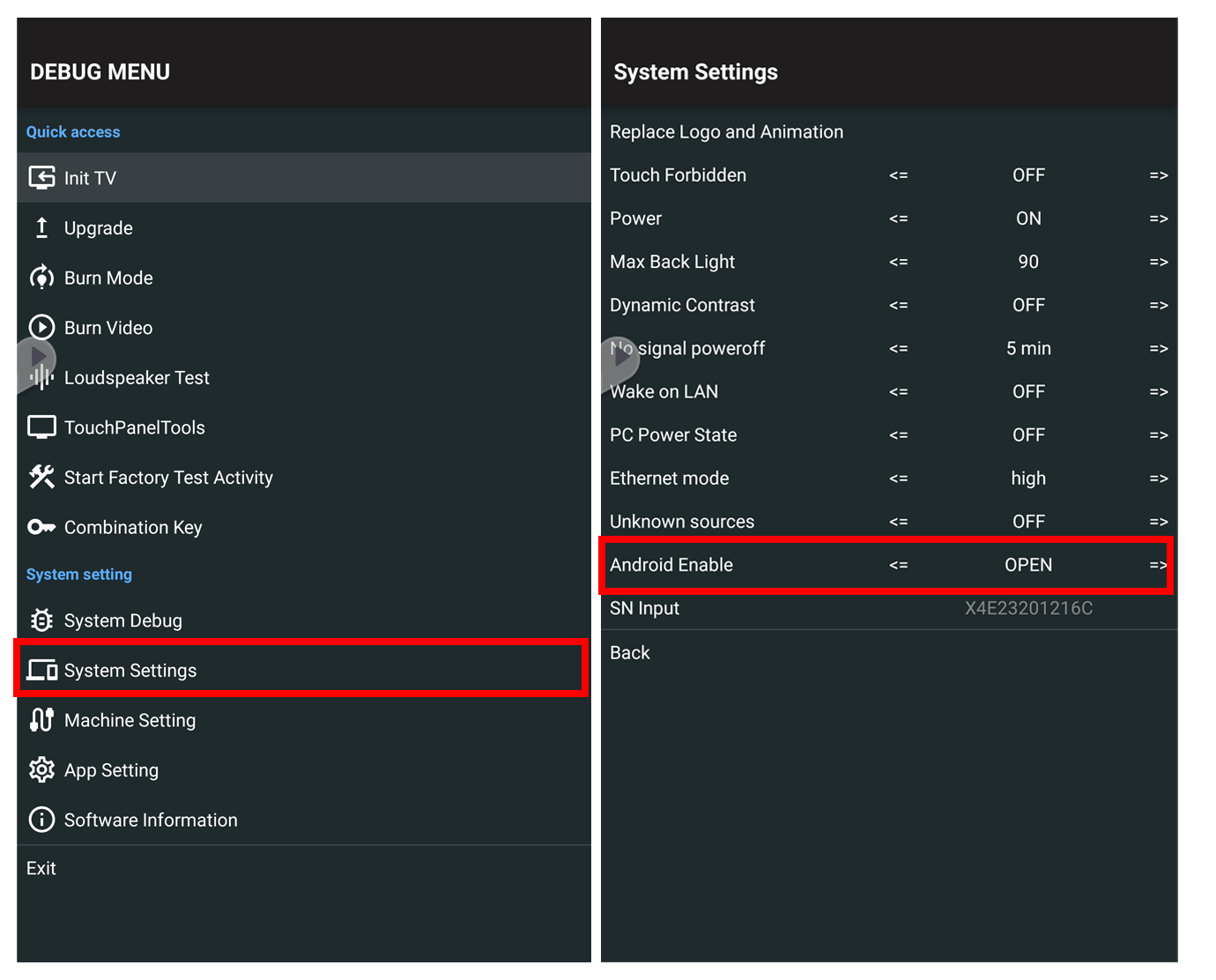
NEW UI:
- Select System Settings
- Set Android Enable to OPEN
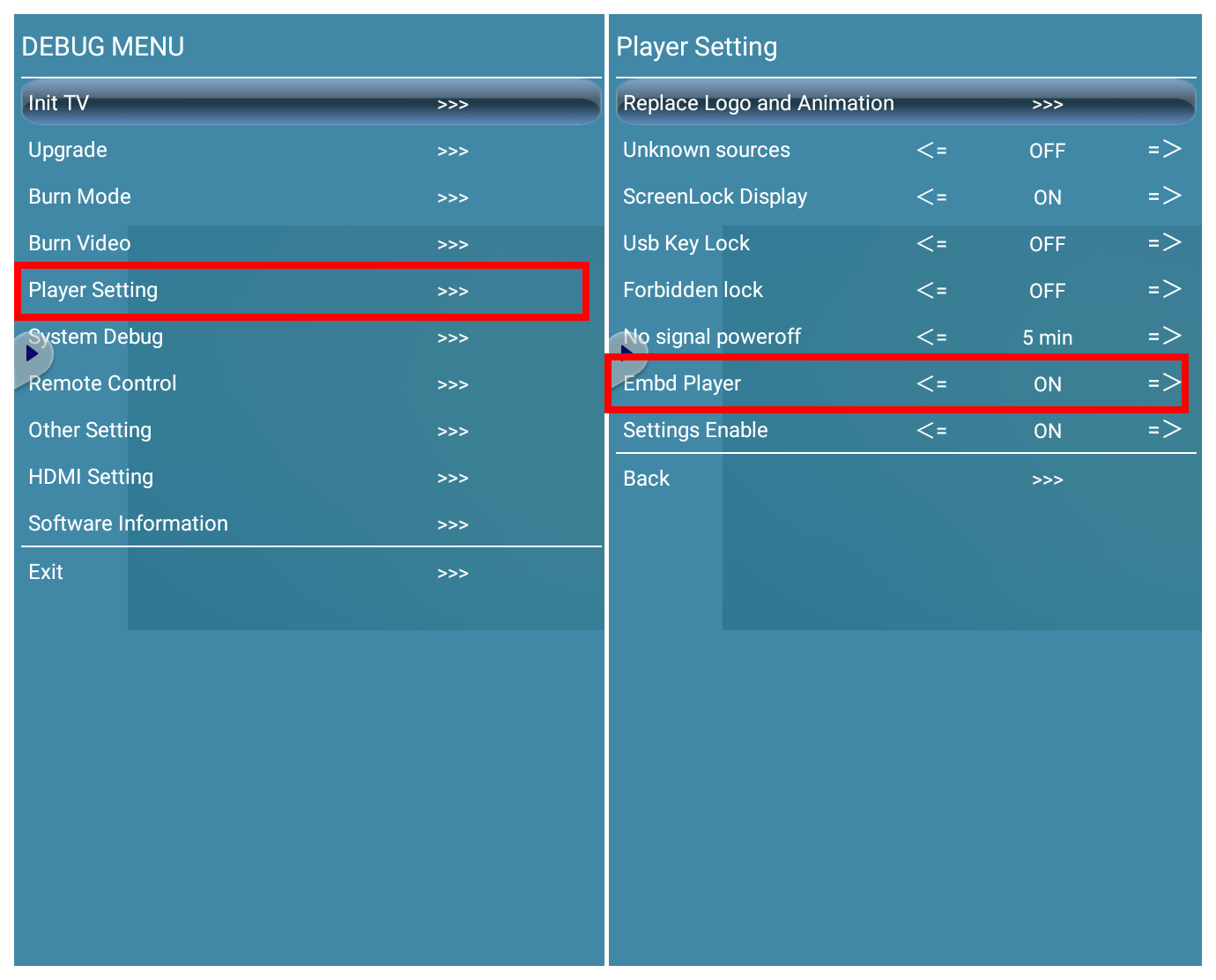
OLD UI:
- Select Player Setting
- Set Embd Player to ON
Was this article helpful?
That’s Great!
Thank you for your feedback
Sorry! We couldn't be helpful
Thank you for your feedback
Feedback sent
We appreciate your effort and will try to fix the article