Applies to:
- CDE30 Series
- CDE4330, CDE5530, CDE6530, CDE7530, CDE8630
What is HDMI-ARC?
HDMI ARC means HDMI Audio Return Channel. It is a feature within HDMI that enables your display to send audio signals to compatible audio devices. This functionality allows for bidirectional communication between your display and audio equipment, such as soundbars or audio receivers, using a single HDMI cable.
To utilize HDMI ARC, both, your ViewSonic display and audio device must have dedicated ARC ports.
Instructions:
After connecting the ViewSonic display to the audio device via HDMI, the following option must be enabled.
- Using the remote control, press INPUT-9-9-1.
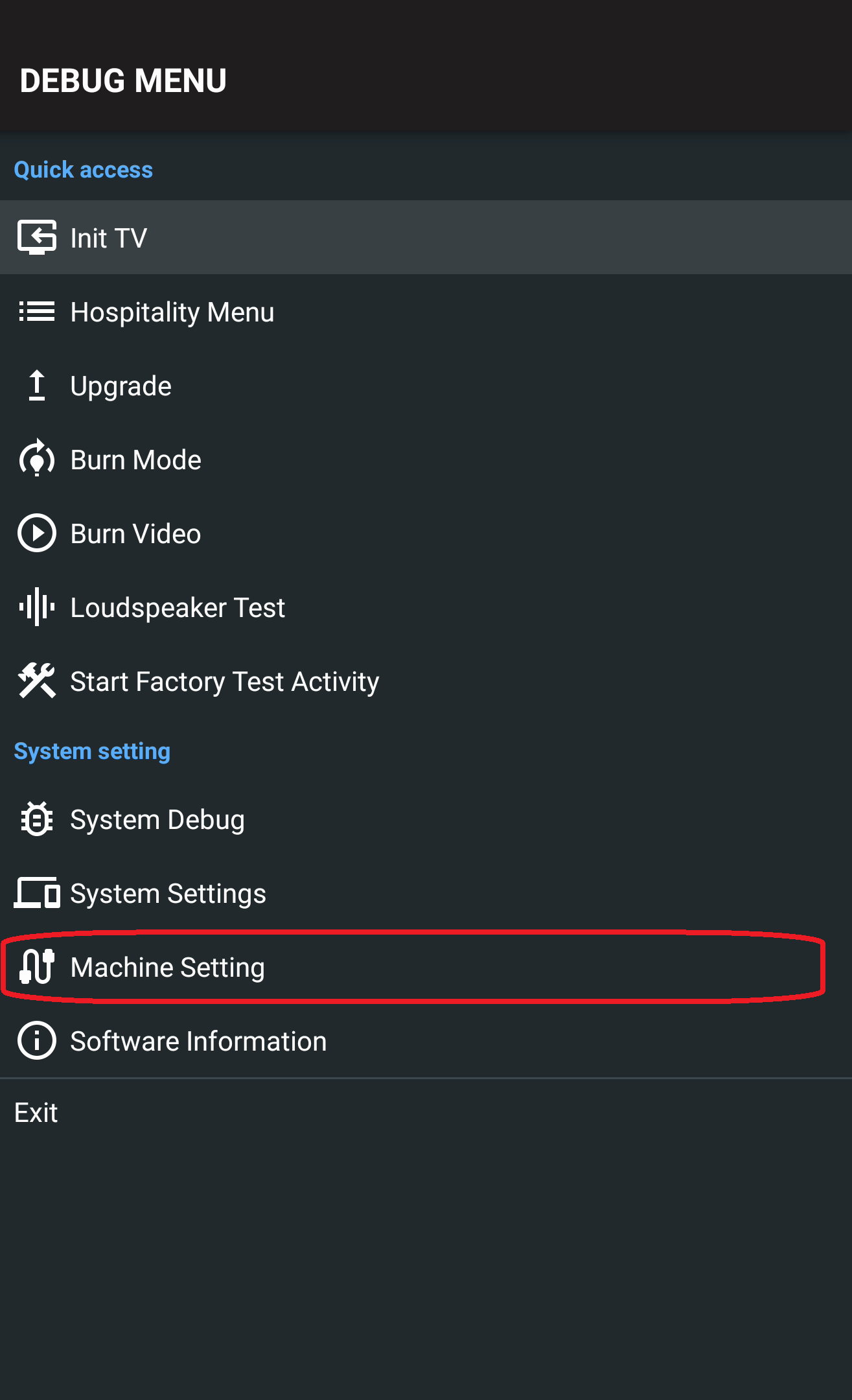
- A debug menu will appear on the left side of the display.
- Select Machine Settings.
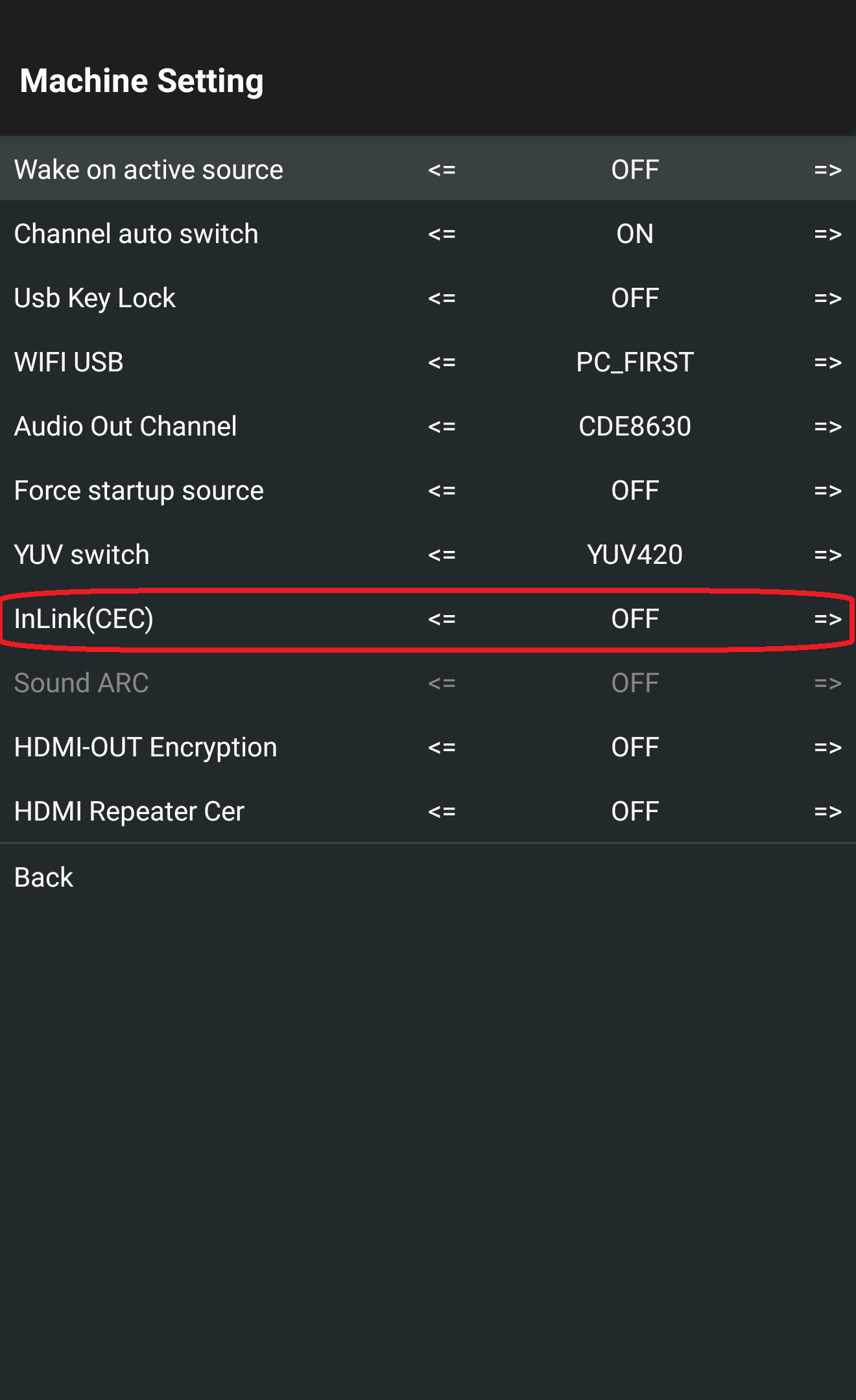
- Set InLink(CEC) to Open.
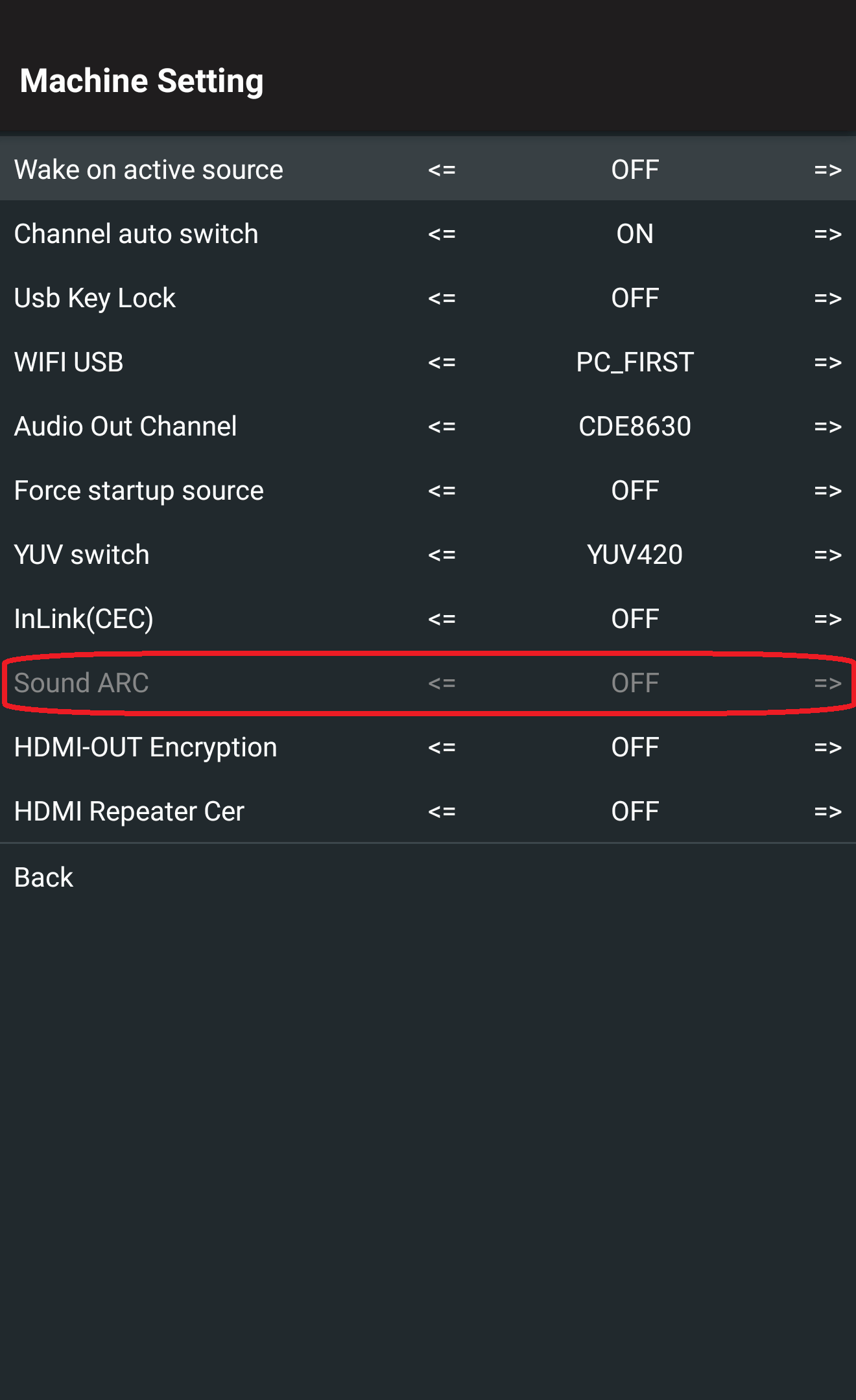
- Set Sound ARC to Open.
For additional questions, please contact ViewSonic's Support by submitting a support ticket HERE or by Phone: US: 800-688-6688, CAN: 866-463-4775. ViewSonic’s call center hours: M-F, 6 AM - 6 PM PST.
Was this article helpful?
That’s Great!
Thank you for your feedback
Sorry! We couldn't be helpful
Thank you for your feedback
Feedback sent
We appreciate your effort and will try to fix the article