This article provides steps to resolve the “Signage Manager will be terminated” error by removing a corrupted local file that may prevent the application from launching correctly.
Instructions:
- Open File Explorer to access the Signage Manager local folder
- In the address bar, input: %LOCALAPPDATA%\Signage Manager

- Press Enter
- Locate the file named: recent
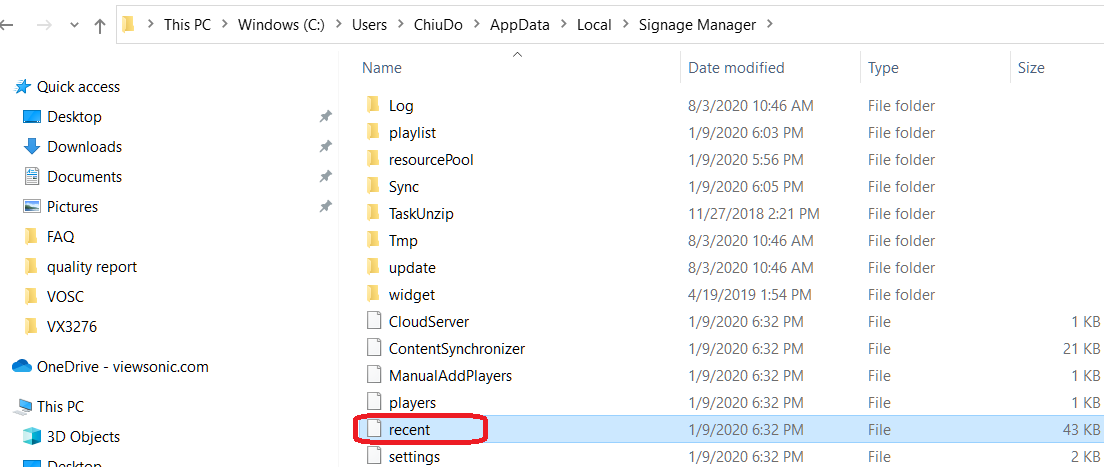
- Delete the file
- Restart the Application
- Confirm that the application opens without the error
For additional questions, please contact ViewSonic's Support by submitting a support ticket HERE or by Phone: US: 800-688-6688, CAN: 866-463-4775. ViewSonic’s call center hours: M-F, 6 AM - 6 PM PST.
Was this article helpful?
That’s Great!
Thank you for your feedback
Sorry! We couldn't be helpful
Thank you for your feedback
Feedback sent
We appreciate your effort and will try to fix the article