Applies to:
- TRS10 (MPC310-W31-TU and MRC1010-TN)
- TRS10-UB (UMB202, MPC310-W31-TU and MRC1010-TN)
IMPORTANT:
An active internet connection is required before turning on the Conferencing PC. Please make sure the following connections are made before activating and using your TRS10 or TRS10-UB.
Pre-Installation Checklist
Before you begin:
- Check Inventory: Ensure you have all the necessary components:
- MPC310-W31-TU Conferencing PC
- MRC1010-TN Touch Console
- USB Type C cable
- RJ-45 Ethernet (LAN) cable
- Power cord
- Verify Internet Access: Confirm that a reliable internet connection is available at the installation site.
- Access to the Internet
- Access to the Internet
Instructions:
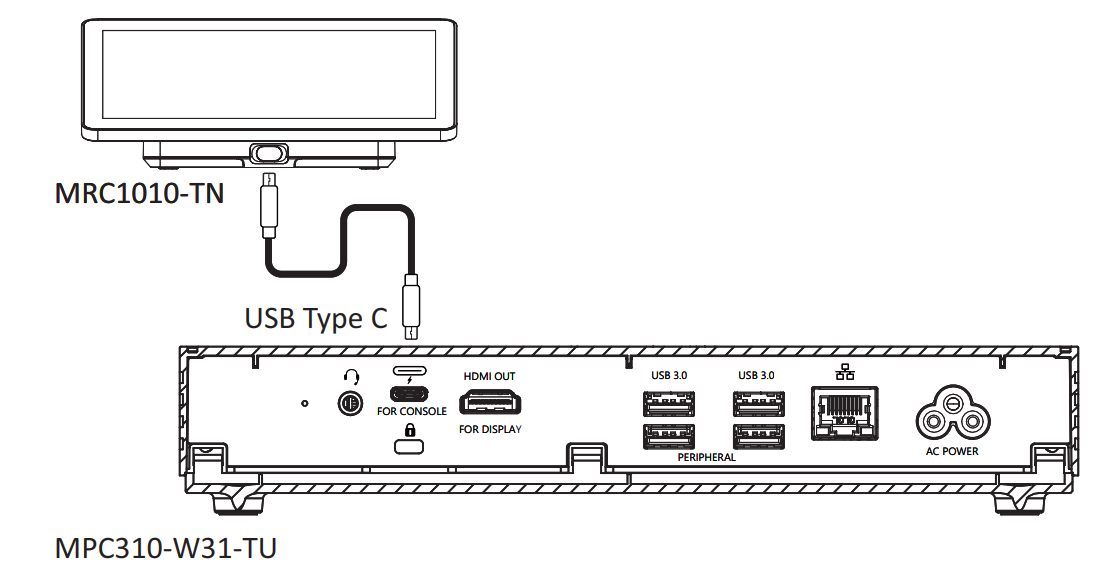
- Connect the USB Type C cable from the MPC310-W31-TU Conferencing PC to the
MRC1010-TN Touch Console.
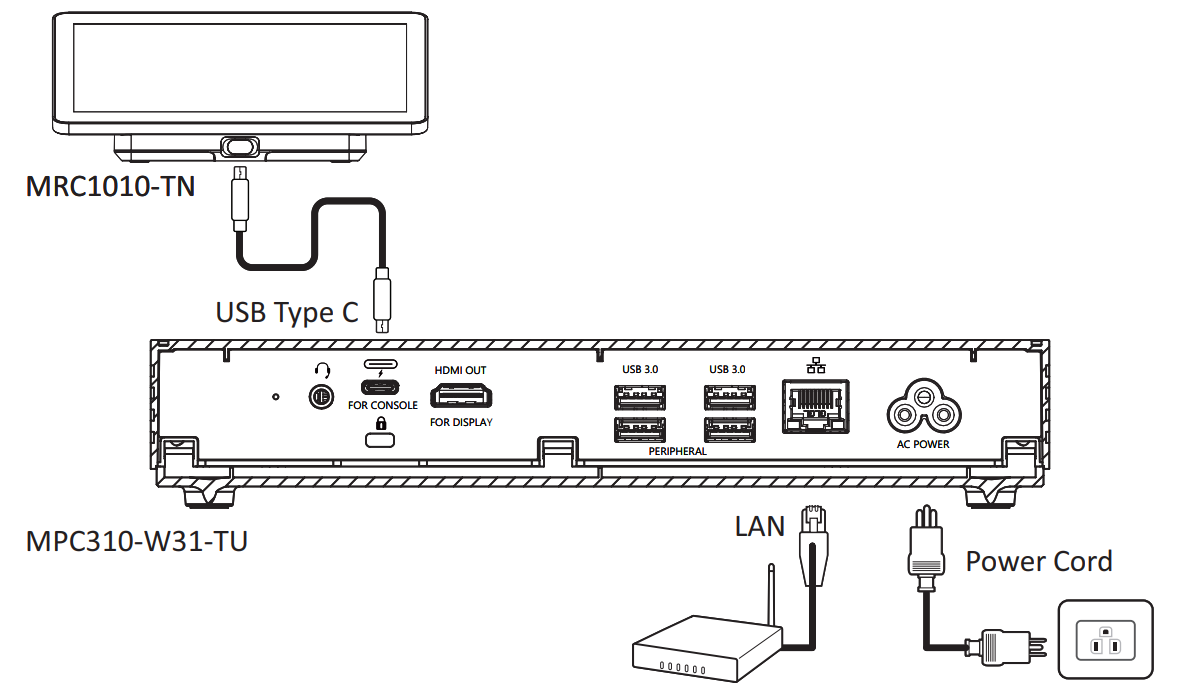
- Connect the MPC-W31-TU Ethernet (RJ-45) LAN cable from the Conferencing PC to the
network connected to the Internet.
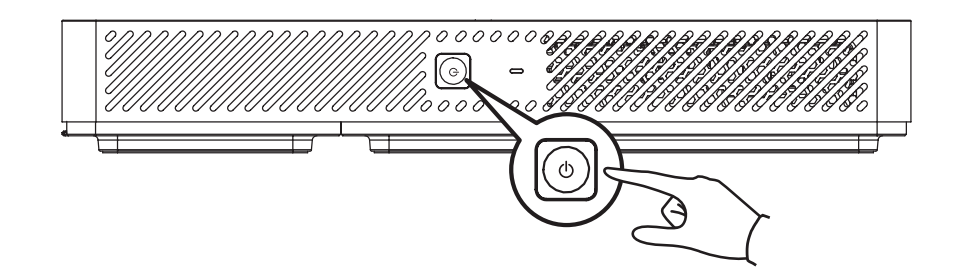
- Turn on the Conferencing PC.
IMPORTANT: An active internet connection is required before turning on the Conferencing PC. Please make sure that all necessary connections are made before activating and using your TRS10 or TRS10-UB system.
Support and Troubleshooting:
- If you encounter issues during installation, double-check cable connections, internet access, and ensure power outlets are working.
- For further assistance, refer to the product’s support documentation or contact ViewSonic’s technical support team.
For additional questions, please contact ViewSonic's Support by submitting a support ticket HERE or by Phone: US: 800-688-6688, CAN: 866-463-4775. ViewSonic’s call center hours: M-F, 6 AM - 6 PM PST.
Was this article helpful?
That’s Great!
Thank you for your feedback
Sorry! We couldn't be helpful
Thank you for your feedback
Feedback sent
We appreciate your effort and will try to fix the article