Overview
Some ViewSonic IFPG1‑series displays automatically enter standby after four hours of use. This happens when the Automatic Standby setting is enabled. This article explains how to turn that feature off so the display stays on during extended sessions.
Applies to:
IFP55G1
IFP65G1
IFP75G1
IFP86G1
Issue
The display powers off or enters standby after four hours, even when it is actively being used. This can disrupt classrooms, meetings, or digital signage environments.
Cause
The Automatic Standby option is enabled in the system’s debug settings.
Resolution
Follow the steps below to disable Automatic Standby.
Steps to Disable Automatic Standby
On the remote control, press INPUT → 9 → 9 → 1 to open the Factory Settings menu.
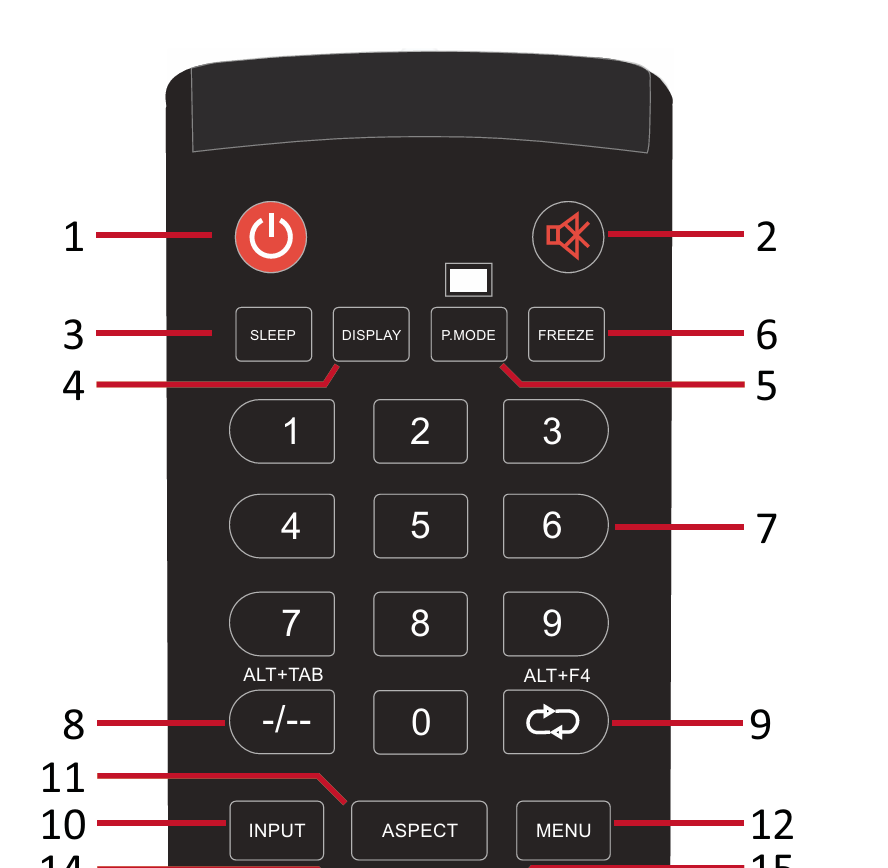 10 - INPUT - Input source selection
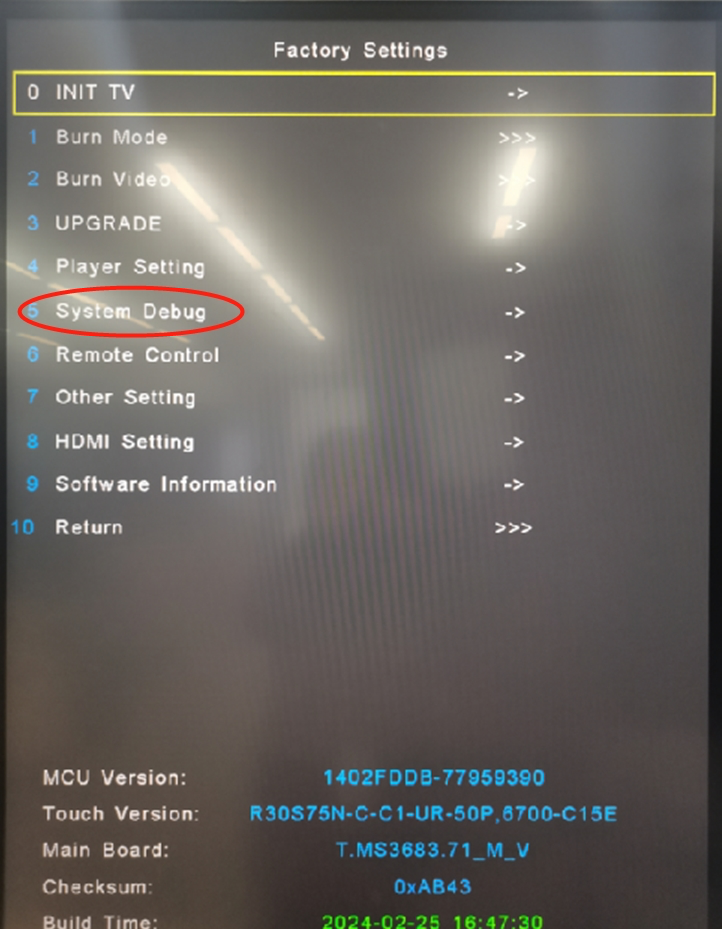
 Select System Debug.
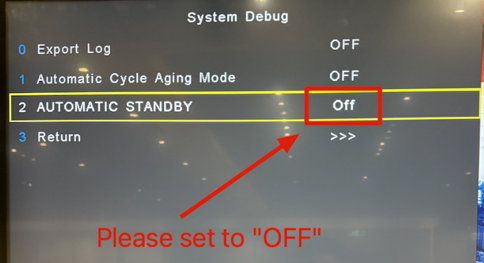
Set AUTOMATIC STANDBY to Off. The display will no longer turn off automatically after four hours.
For additional questions, please contact ViewSonic's Support at (800) 688-6688 or submit a support ticket by clicking here. ViewSonic's hours of operations at Monday-Friday 6 AM to 6 PM.
Was this article helpful?
That’s Great!
Thank you for your feedback
Sorry! We couldn't be helpful
Thank you for your feedback
Feedback sent
We appreciate your effort and will try to fix the article