Symptom:
When selecting a text field the Windows touch keyboard does not appear.
Solution:
Windows 10
- Search for the Typing Settings

- Scroll down the Touch Keyboard section and enable Show the touch keyboard when not in tablet mode and there's no keyboard attached

Windows 11
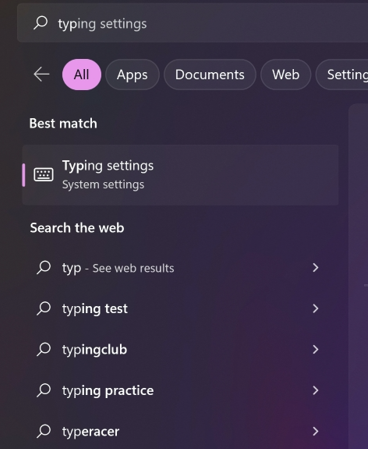
- Search for the Typing Settings
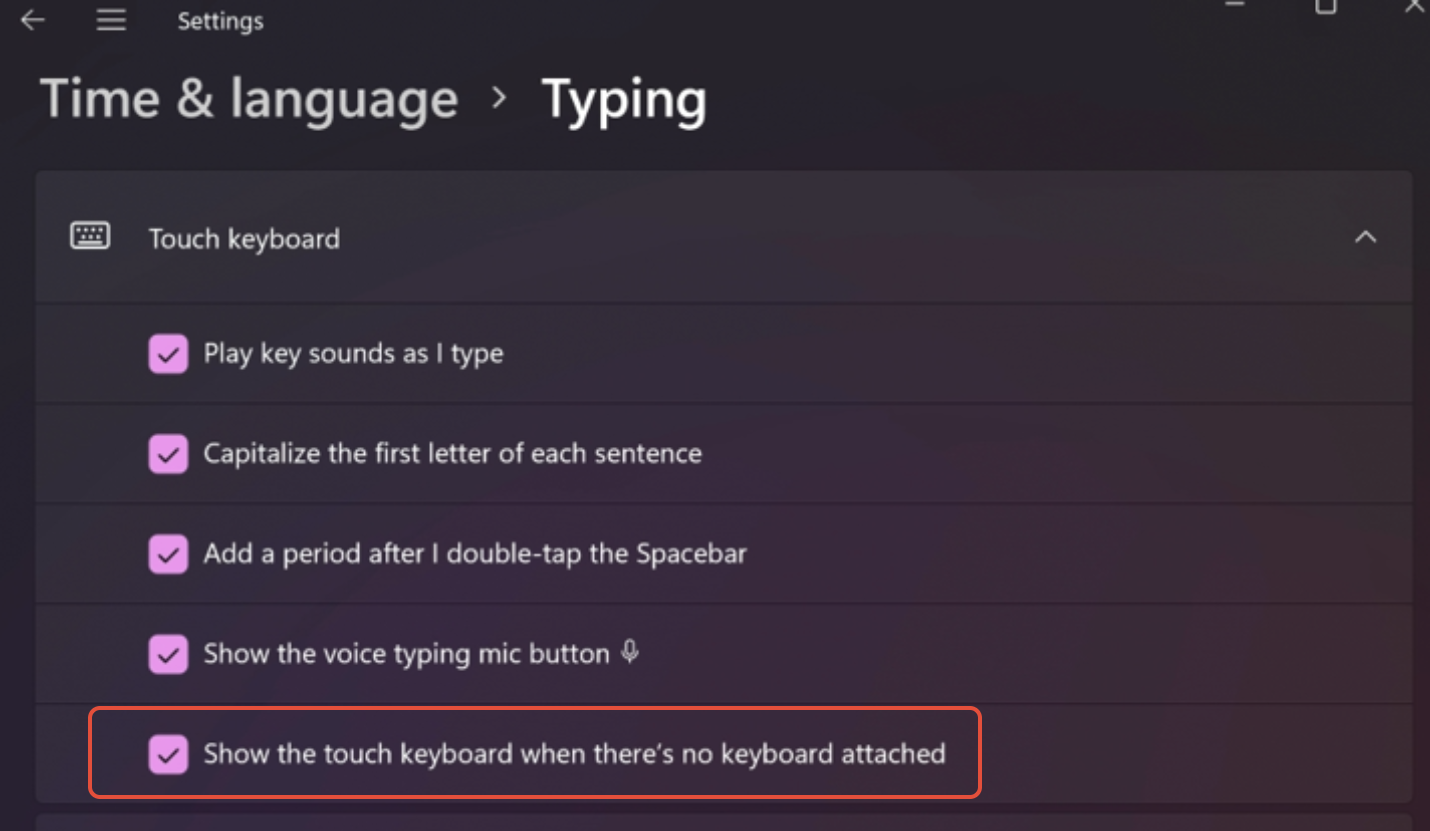
- Expand the Touch Keyboard settings and enable Show the touch keyboard when there's no keyboard attached
Was this article helpful?
That’s Great!
Thank you for your feedback
Sorry! We couldn't be helpful
Thank you for your feedback
Feedback sent
We appreciate your effort and will try to fix the article