Applies to:
- CDE20 Series
- CDE30 Series
Instructions:
To set an application as a custom source:
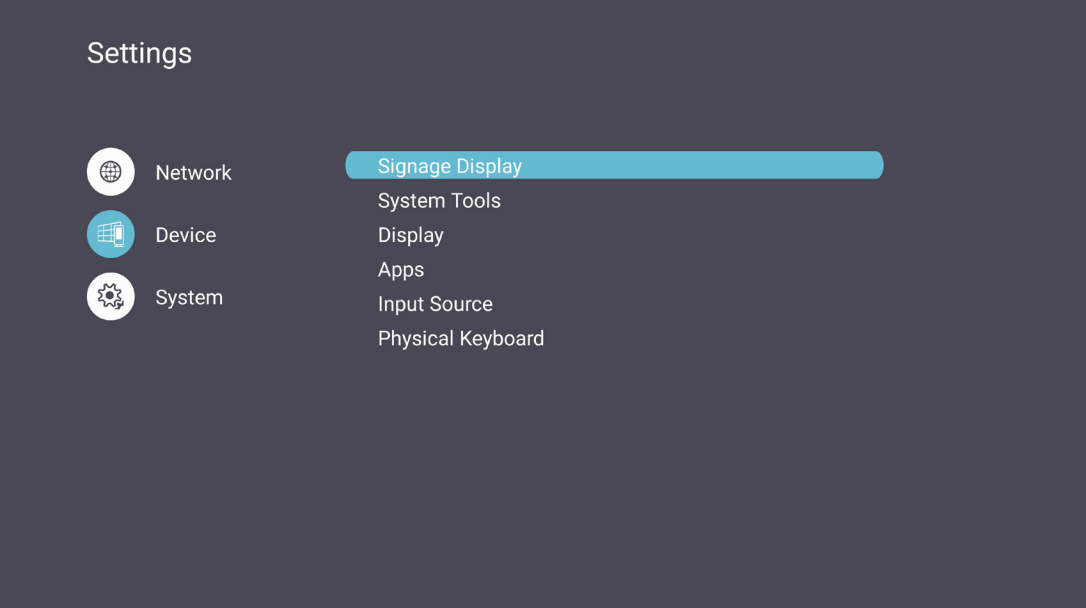
- Open Settings
- Select Device on the left side
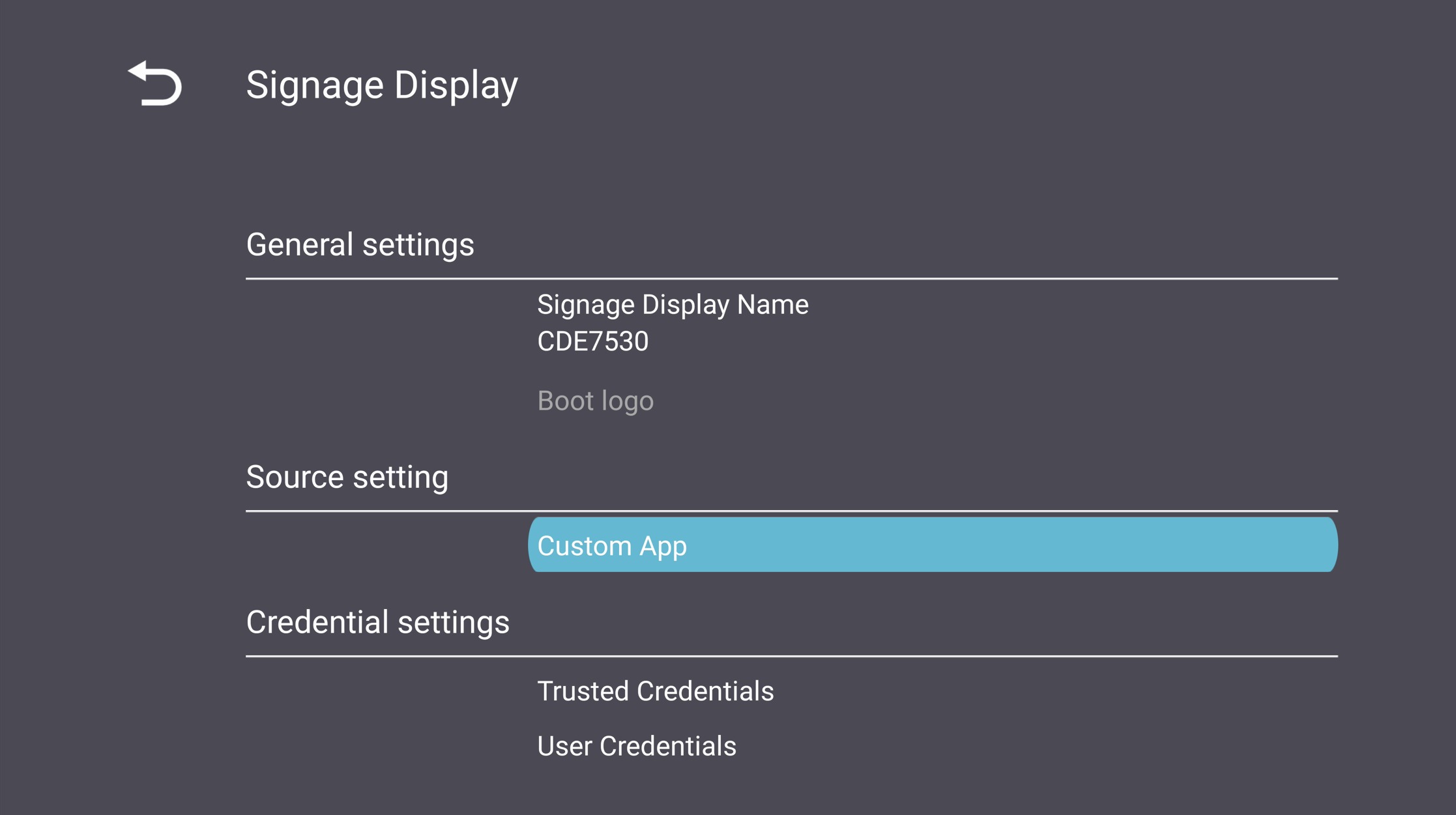
- Select Signage Display
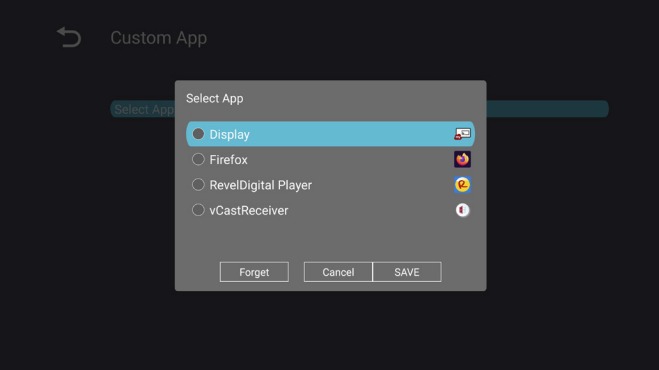
- Select Custom App under the Source Setting section
- Select the desired application from the list.
- Using the remote control, press the Settings button.
- Select Advanced
- Set the Boot on Source to Custom
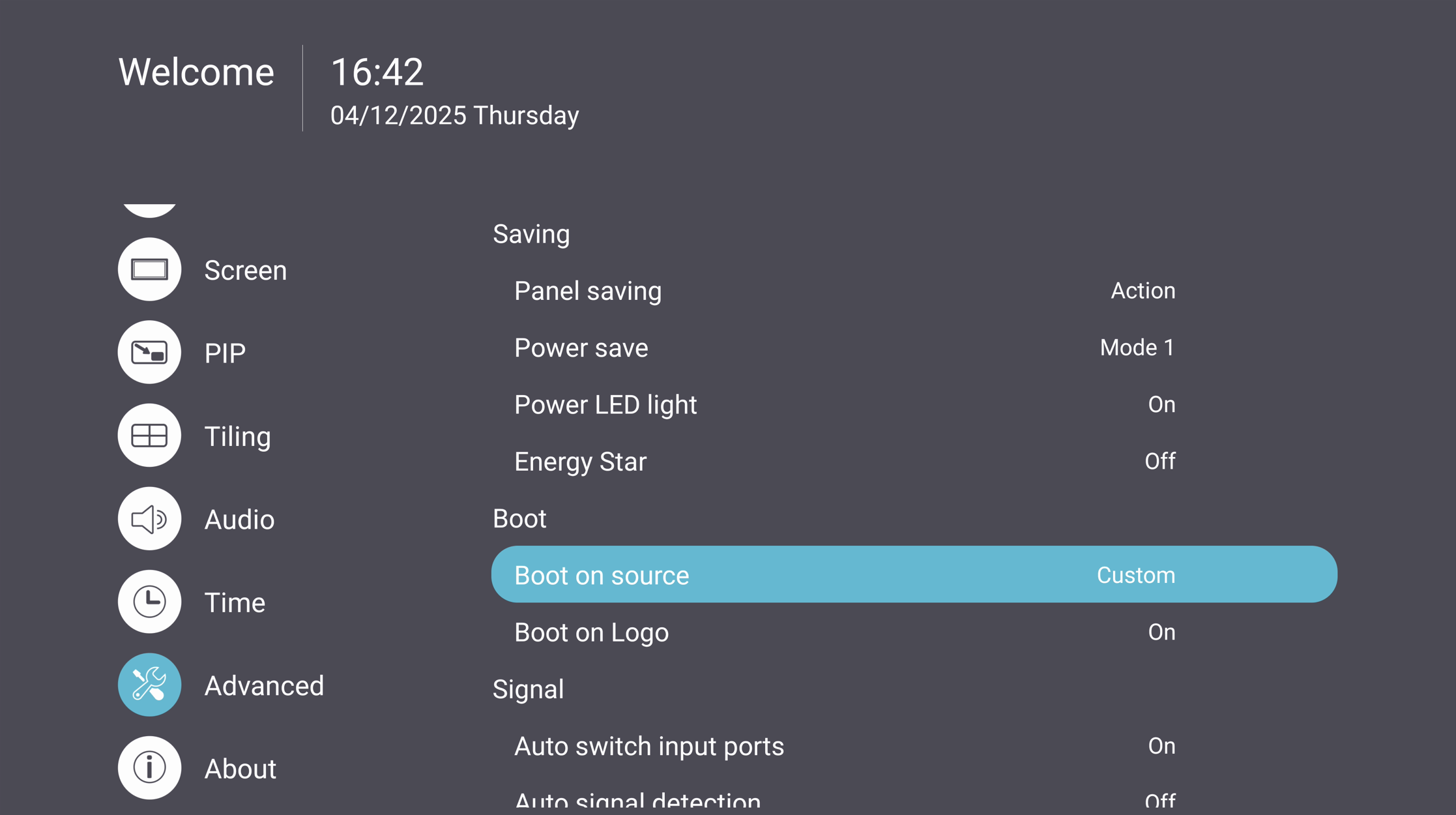
When the display starts up, it will automatically launch the desired application set as the custom source.
For additional questions, please contact ViewSonic's Support by submitting a support ticket HERE or by Phone: US: 800-688-6688, CAN: 866-463-4775. ViewSonic’s call center hours: M-F, 6 AM - 6 PM PST.
Was this article helpful?
That’s Great!
Thank you for your feedback
Sorry! We couldn't be helpful
Thank you for your feedback
Feedback sent
We appreciate your effort and will try to fix the article