If you're looking for the User Guide, Quick Start Guide, or other documentation for your ViewSonic product, you can download them directly from our Online Support Center.
How to Access User Guides
Visit the ViewSonic Online Support Center: https://www.viewsonic.com/us/onlinesupport-center
Search by Serial Number
- Use the search bar to enter your product serial number. (eg. WAD201299999)
Search by Product Category
If you don't have your serial number handy, we can still identify your product.
- Select the Product Category
- Select the Product Series
- Select your product from the search results.
- You will find available files such as:
- User Guide
- Quick Start Guide (QSG)
- Specifications Sheet
- Software & Firmware (if applicable)
- Click the file you want to download, and it will begin automatically.
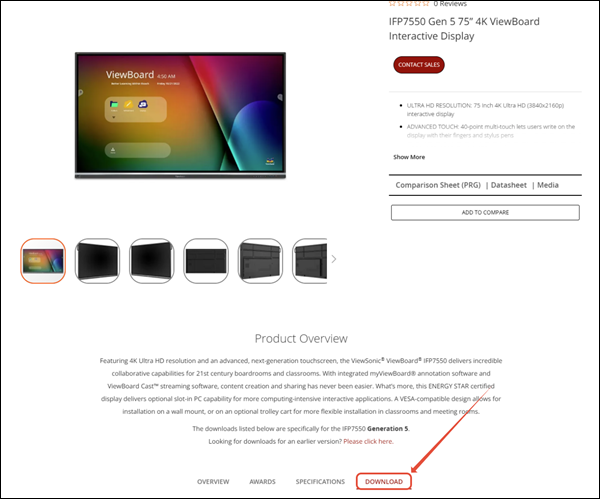
The same information can be located in the Download section of the Product’s page
Some product resources or documentation may be unavailable due to the age of the item; for further assistance, please contact our Customer Support team.
For additional questions, please contact ViewSonic's Support at (800) 688-6688 or submit a support ticket by clicking here. ViewSonic's hours of operations at Monday-Friday 6 AM to 6 PM.
Was this article helpful?
That’s Great!
Thank you for your feedback
Sorry! We couldn't be helpful
Thank you for your feedback
Feedback sent
We appreciate your effort and will try to fix the article