Applies to:
ViewBoard CDE30 Series
- CDE4330, CDE5530, CDE6530, CDE7530, CDE8630, CDE9830
Some CDE30 devices may take up to 5 minutes to start and reach the desktop after being powered on. This issue occurs even when the “Switch on Delay” setting appears to be turned OFF.
Solution Instructions:
- Option 1: Toggle the “Switch on Delay” Setting
- Power on the device normally
- Press the Menu button on the remote control
- Go to Time → Switch on Delay
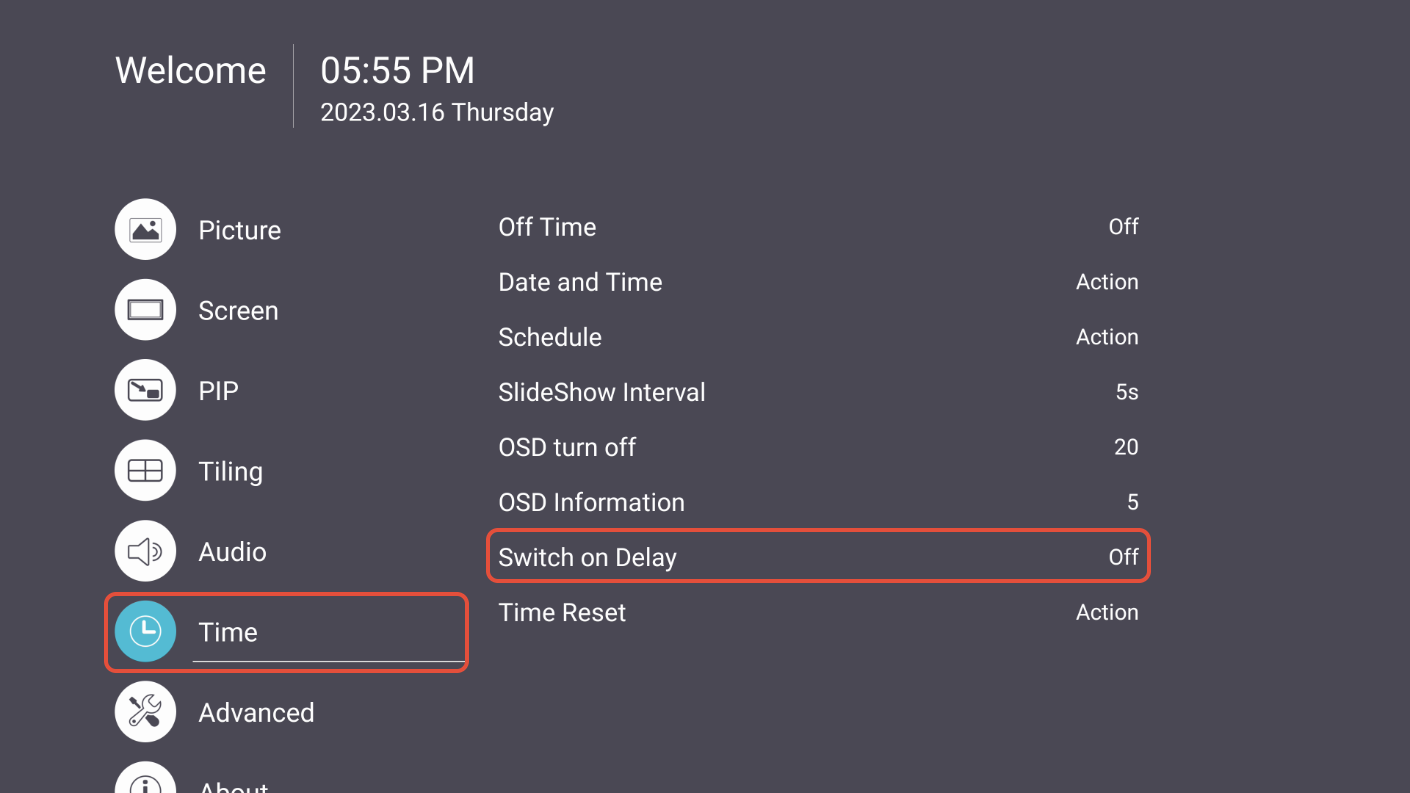
- Change the value back to OFF, then select Confirm
Option 2: Reset Time Settings
- Power on the device normally
- Press the Menu button on the remote control
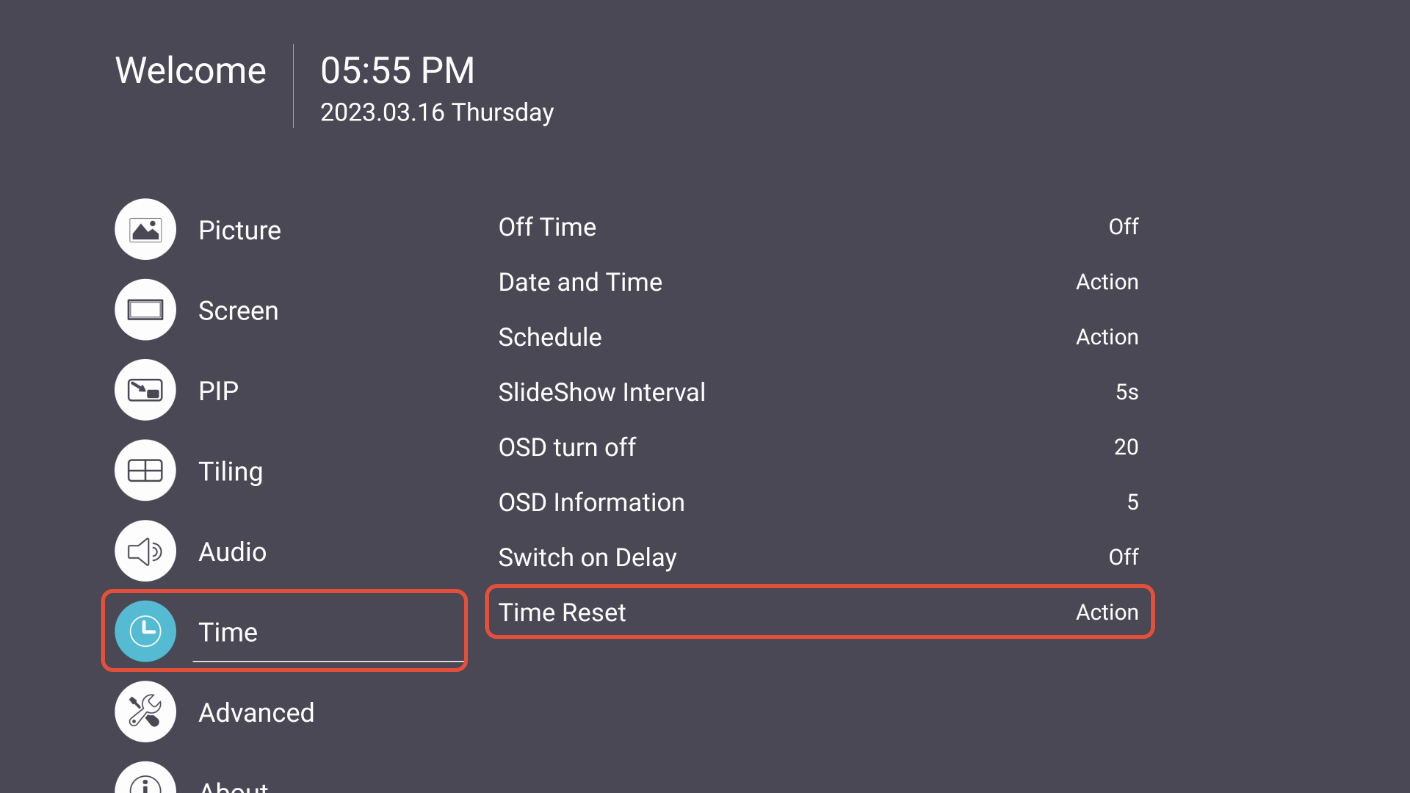
- Go to Time → Time Reset → Reset
For additional questions, please contact ViewSonic's Support by submitting a support ticket HERE or by Phone: US: 800-688-6688, CAN: 866-463-4775. ViewSonic’s call center hours: M-F, 6 AM - 6 PM PST
Was this article helpful?
That’s Great!
Thank you for your feedback
Sorry! We couldn't be helpful
Thank you for your feedback
Feedback sent
We appreciate your effort and will try to fix the article