Finding your product’s serial number and name is key for warranty, registration, and support. This guide shows you the quickest ways to locate them on your device and packaging.
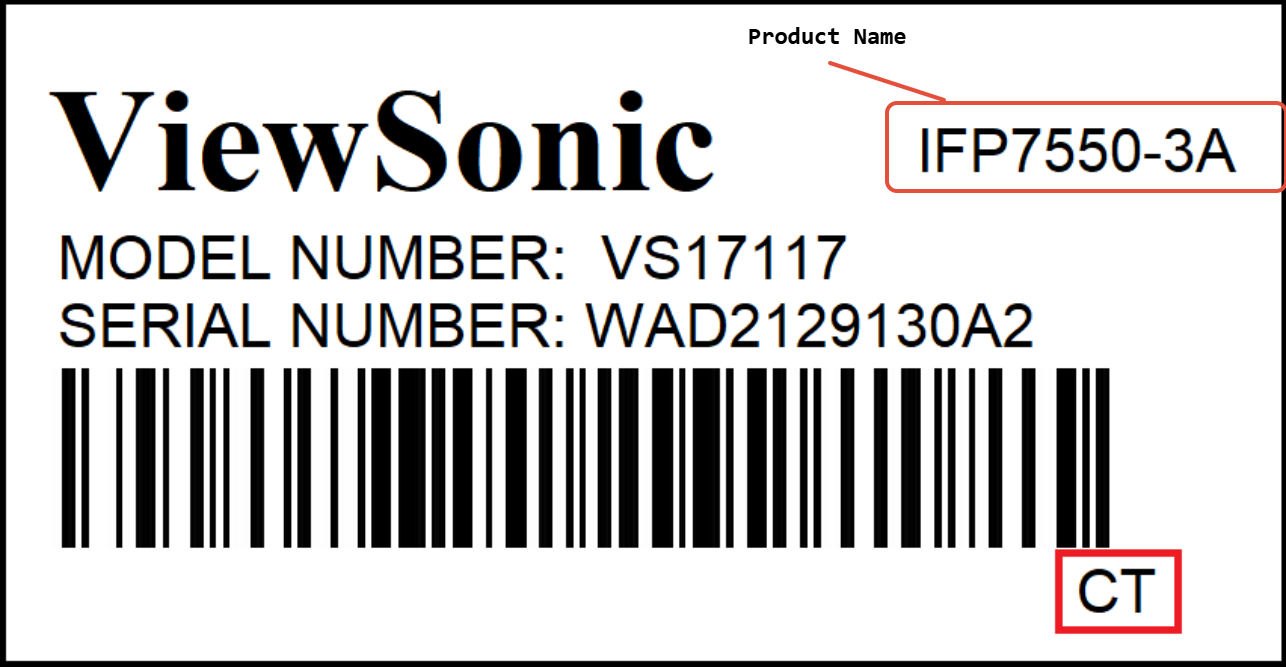
Serial Number
Length: The serial number will always be 12 digits long.
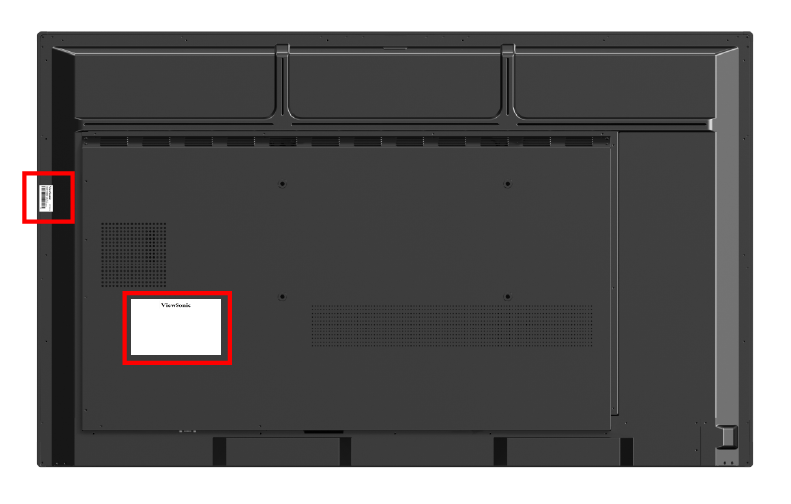
Location on the Product:
Check the back, side, or bottom of your device.
Location on Packaging:
The serial number is also printed on the original box of the unit.
Product Name
Important: The Product Name is different from the Model Number.
Where to Find It:
Look to the right of the ViewSonic logo on your device.
Examples of Product Names:
IFP7550-3AVP2468AXG3220
Label Example
Location
For additional questions, please contact ViewSonic's Support by submitting a support ticket HERE or by Phone: US: 800-688-6688, CAN: 866-463-4775. ViewSonic’s call center hours: M-F, 6 AM - 6 PM PST
Was this article helpful?
That’s Great!
Thank you for your feedback
Sorry! We couldn't be helpful
Thank you for your feedback
Feedback sent
We appreciate your effort and will try to fix the article