Utilizing MyViewBoard Manager to select multiple devices and disable the Switch app so there won’t be a pop-up anymore.
See steps below
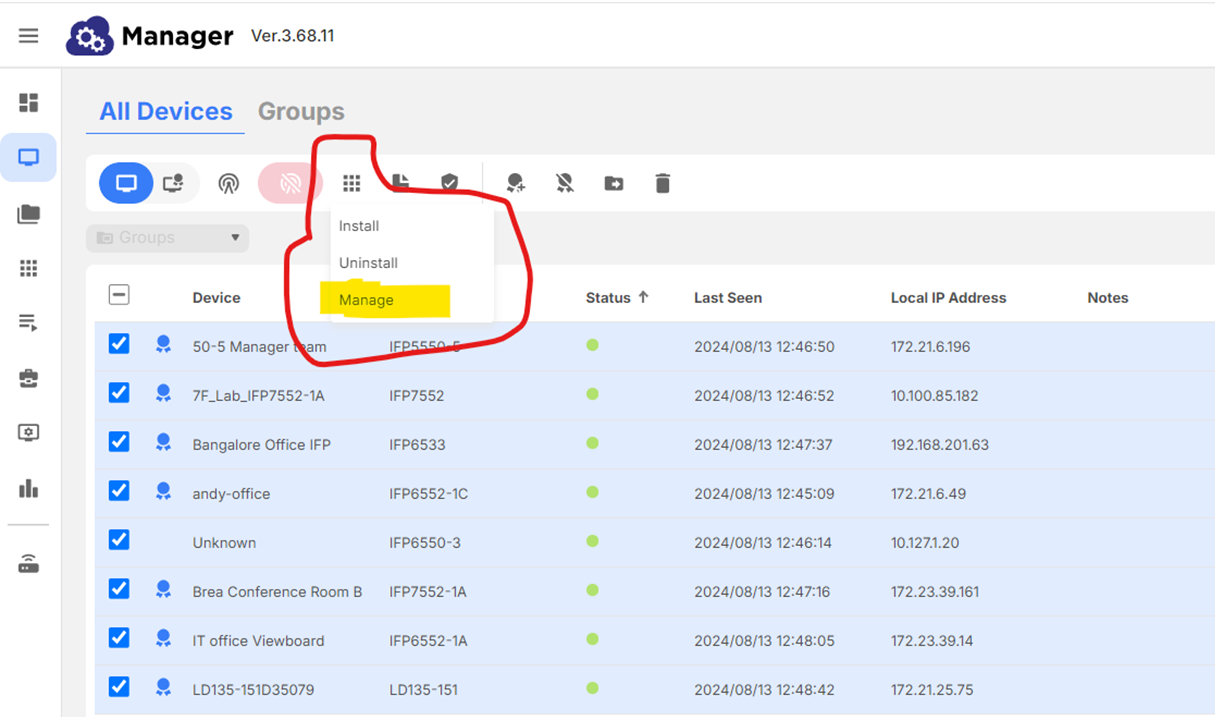
- In All Devices, select more than one device (or select all)
- Click on the App Management icon in the toolbar (see below)
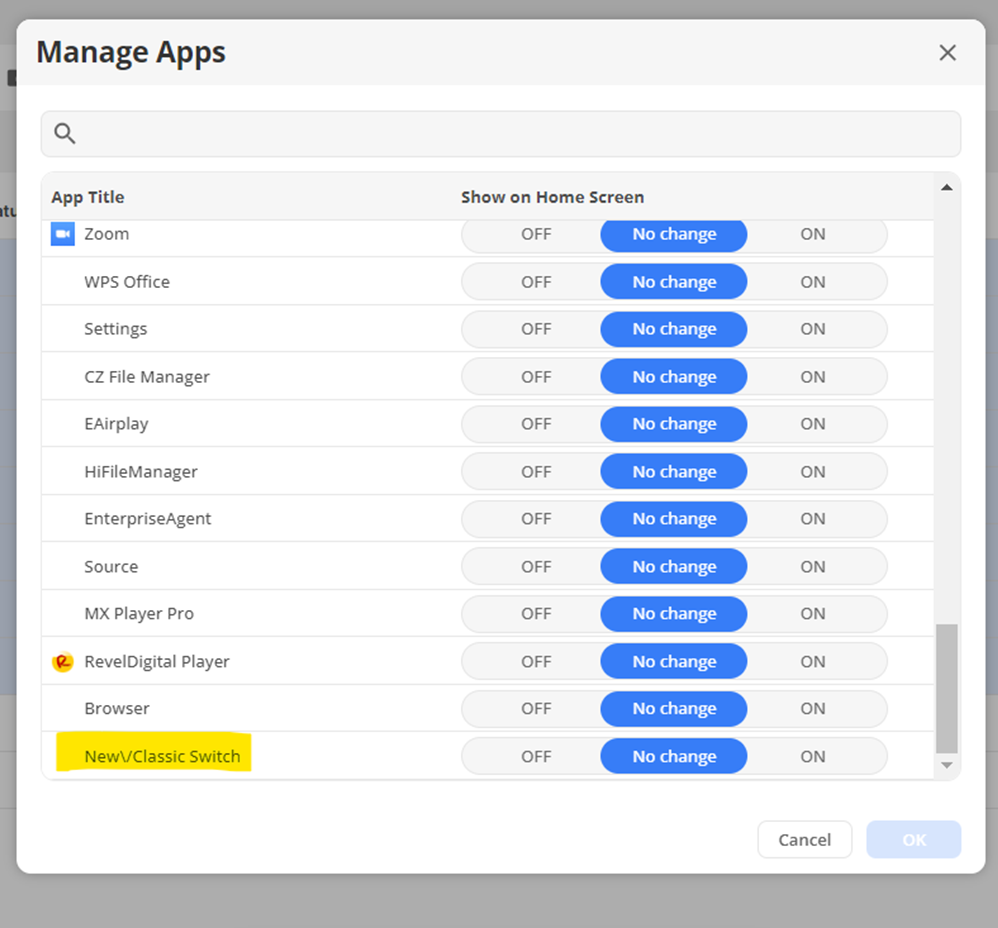
- Turn off “New\/Classic Switch” and apply it to all selected devices
For additional questions, please contact ViewSonic's Support by submitting a support ticket HERE or by Phone: US: 800-688-6688, CAN: 866-463-4775. ViewSonic’s call center hours: M-F, 6 AM - 6 PM PST
Was this article helpful?
That’s Great!
Thank you for your feedback
Sorry! We couldn't be helpful
Thank you for your feedback
Feedback sent
We appreciate your effort and will try to fix the article