Applies to:
- IFP50-5 Series ViewBoards
- IFP50-5F Series ViewBoards
- IFP5550-5/5F, IFP6550-5/5F, IFP7550-5/5F, IFP8650-5/5F
Version 20260911 (Android 13)
Release Date: October 9th, 2026
New Feature
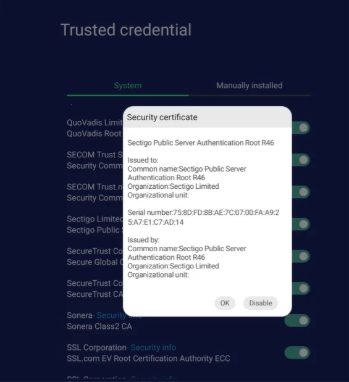
1. Security: Added support for the Sectigo Public Server Authentication Root R46 certificate to ensure server compatibility and secure connections.
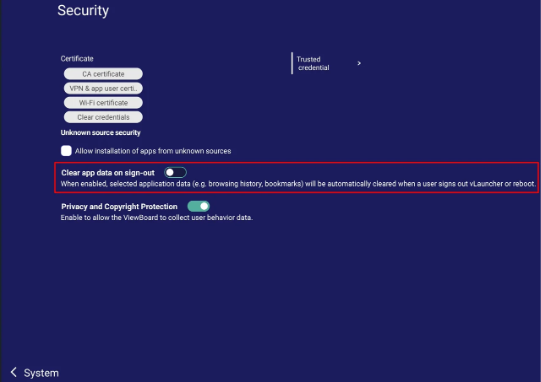
2. vLauncher: Supports the clear app data setting.
Settings > System > Security
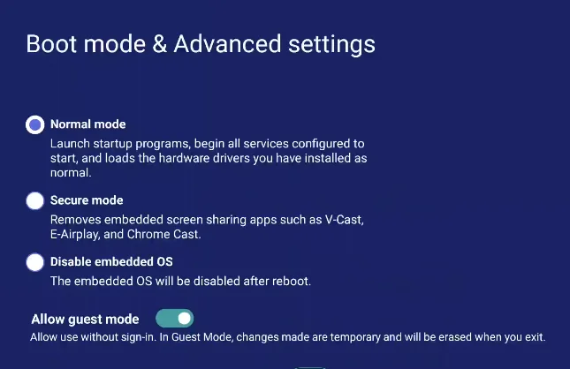
3. Guest mode: ViewBoard Launcher supports the Guest mode toggle.
4. Annotation: Supports floating annotation.
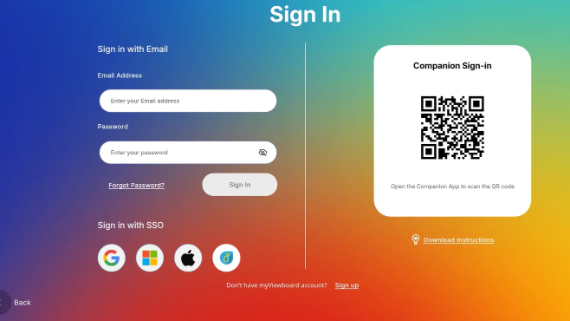
5. vLauncher: Optimized Google SSO sign-in flow.
6. vFolder: Supports global search for the linked Google Drive account.
Bug fix
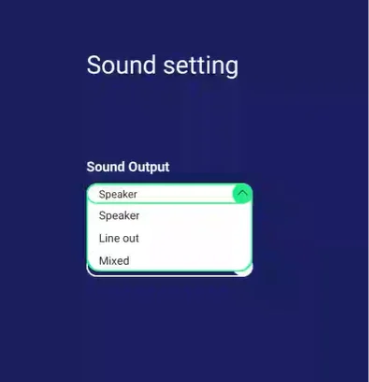
1. System: Fixed the "Sound Output" option disappearing from Sound settings.
2. Security: Security patch for CVE-2025-48543.
3. Network: Fixed Wi-Fi failing to reconnect automatically after reboot on devices with VB-WIFI-001/VB-WIFI-005 cards on enterprise WPA2/WPA3 networks.
4. Input Source: Fixed screen capture showing a grey screen for DRM/HDCP-protected content viewed via browser or app.
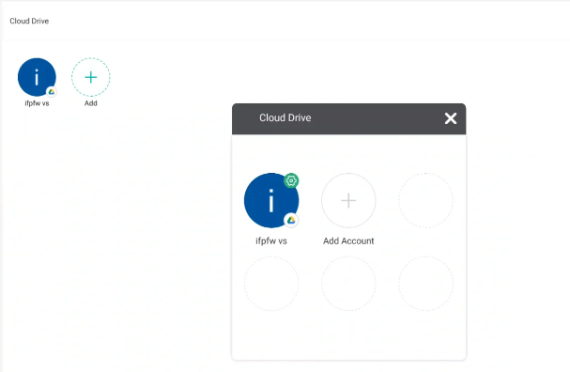
5. Cloud Drive: Fixed "Webpage not available" error during Google Drive login in the Cloud Drive app.
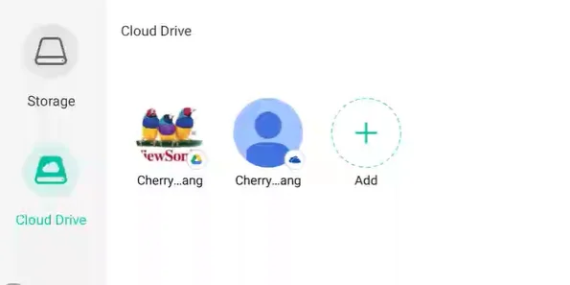
Note: Delete account moved to the "Add" page.
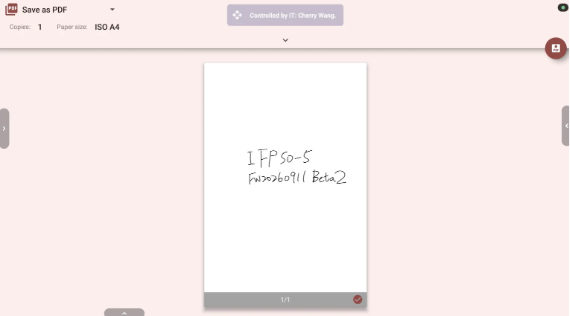
6. myViewBoard: Fixed selecting "Print" in myViewBoard v3 showing "No print services enabled."
7. vLauncher: Fixed myViewBoard home screen app icons disappearing after Companion App logout and re-login.
Known Issue
1. Annotation: Annotation strokes become sketchy after reopening the Annotation toolbar with a changed toolbar position. This issue is not observed on UI3.0; UI2.0 is no longer being updated, so it has been classified as a Known Issue.
2. Guest mode: After setting the "Allow guest mode" toggle to Off and returning to the Home screen, the side toolbar may still appear on the Sign In screen. The behavior is correct after a restart, so restarting the system is recommended after turning off "Allow guest mode".
3. vLauncher: If the device was already switched to UI3.0 through New/Classic Switch on the previous firmware, the Clear app data setting does not take effect after the OTA update — app data is still cleared on reboot even when the toggle is set to Off. After updating, switch back to UI2.0 and then to UI3.0 again, or perform a factory reset, for the setting to take effect.
Note
A. Before upgrading to Android 13, please upgrade Android 11 to firmware version 20240425 first.
B. Before downgrading to Android 11 from Android 13, please downgrade to firmware version 20240425 first.
Version 20251017 (Android 13)
Release Date: October 30, 2025
Changes and improvements for this release:
- Home button behavior enhancement: added configuration support for returning to Android desktop (default) / Windows OPS desktop when using slot-in PC.
Important Notes:
- Before upgrading to Android 13, please upgrade Android11 to firmware version 20240425 first.
- Before downgrading to Android 11 from Android 13, please downgrade to firmware version 20240425 first.
- QuickSetting/ScreenLock for UI 2.0 is on the latest version. When switching to UI 3.0 with New/Classic Switch, an exclamation mark will be shown in New/ClassicSwitch window.
- Talkback functionality requires app adjustments to allow the Talkback service to better determine cursor movement positions for a smoother experience.
Version 20250807 (Android 13)
Release Date: October 3, 2025
Changes and improvements for this release:
- Preloaded APK updates.
- Added mute status (ON/OFF/3 seconds) notification settings.
- Auto Wi-Fi fallback with ethernet lost connection.
- Home button directs users to the home screen based on the current input source (Android/Windows OPS).
- Added Accessibility->Talkback (*see Note below)
- Improved system stability.
Important Notes:
- Before upgrading to Android 13, please upgrade Android11 to firmware version 20240425 first.
- Before downgrading to Android 11 from Android 13, please downgrade to firmware version 20240425 first.
- QuickSetting/ScreenLock for UI 2.0 is on the latest version. When switching to UI 3.0 with New/Classic Switch, an exclamation mark will be shown in New/ClassicSwitch window.
- Talkback functionality requires app adjustments to allow the Talkback service to better determine cursor movement positions for a smoother experience.
Version 20250321 (Android 13)
Release Date: April 11, 2025
Changes and improvements for this release:
- Preloaded APK updates.
- Added auto reboot function.
- Improved screen freeze: use Freeze button to freeze/unfreeze.
- Preloaded TeamOne™ software.
- Fixed issues related to missing MAC addresses.
- Improved system stability
Important Notes:
- Before upgrading to Android 13, please upgrade Android11 to firmware version 20240425 first.
- Before downgrading to Android 11 from Android 13, please downgrade to firmware version 20240425 first.
Version 20240607 (Android 13)
Release Date: July 12, 2024
Changes and improvements for this release:
- vLauncher 3.0 implemented.
- Added a "Switch" application to switch between vLauncher 2.0 and vLauncher 3.0.
Important Notes:
- Before upgrading to Android 13, please upgrade Android 11 to firmware version 20240425 first.
- Eye Care and Energy Star settings will be reset to default after upgrading to Android 13.
- USB cloned data from Android 11 does not support cloning to Android 13.
Version 20240425 (Android 11)
Changes and improvements for this release:
- Preloaded APK updates.
- New Features:
- Added masking when typing passwords.
- Added Japanese IME option.
- Improved system stability.
Version: 20230817
Release Date: September 8, 2023
Changes and improvements for this release:
- App updates - vLauncher: 2.60.2.; Side tool bar: 2.60.5
- Preloaded “Visualizer” application
- Removed "Browser" application
- Support for annotation tools (side toolbar) with decrypted HDCP content via HDMI input source
- Support “Screen Capture” function (side toolbar) with decrypted HDCP content via HDMI input source
- Support VB-IOB-001 (Note: Please upgrade the firmware to version 20230816 before connecting VB-IOB-001 to the panel)
- Hotspot sharing & Wi-Fi can work at the same time
- Improved “Freeze” function of remote control
- Improved system stability
Helpful Links:
For additional questions, please contact ViewSonic's Support by submitting a support ticket HERE or by Phone: US: 800-688-6688, CAN: 866-463-4775. ViewSonic’s call center hours: M-F, 6 AM - 6 PM PST.
Was this article helpful?
That’s Great!
Thank you for your feedback
Sorry! We couldn't be helpful
Thank you for your feedback
Feedback sent
We appreciate your effort and will try to fix the article