Applies to:
Viewboard IFP51 Series
- IFP5551, IFP6551, IFP7551, IFP8651, IFP9851
Instructions:
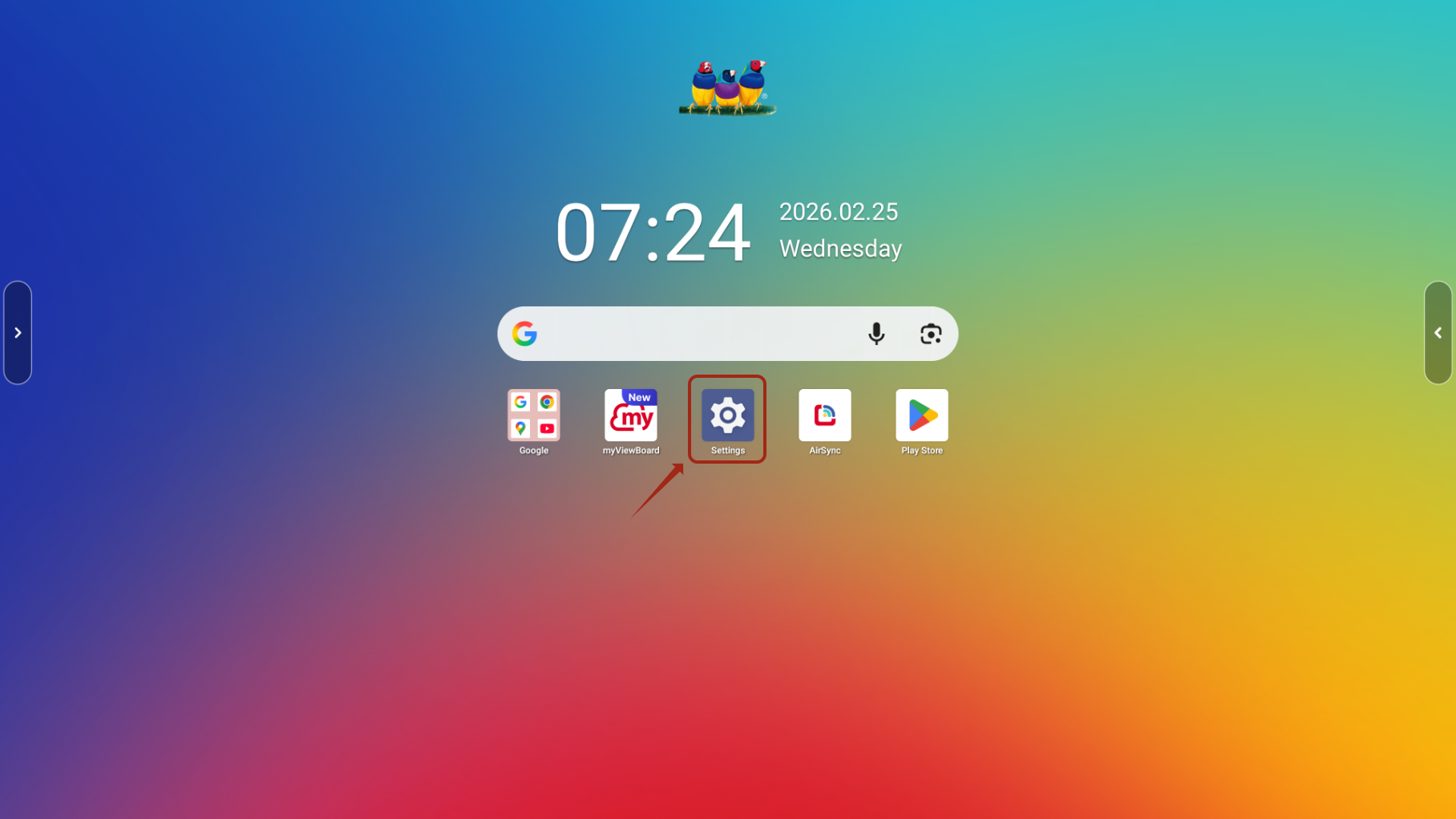
Open Settings on the ViewBoard
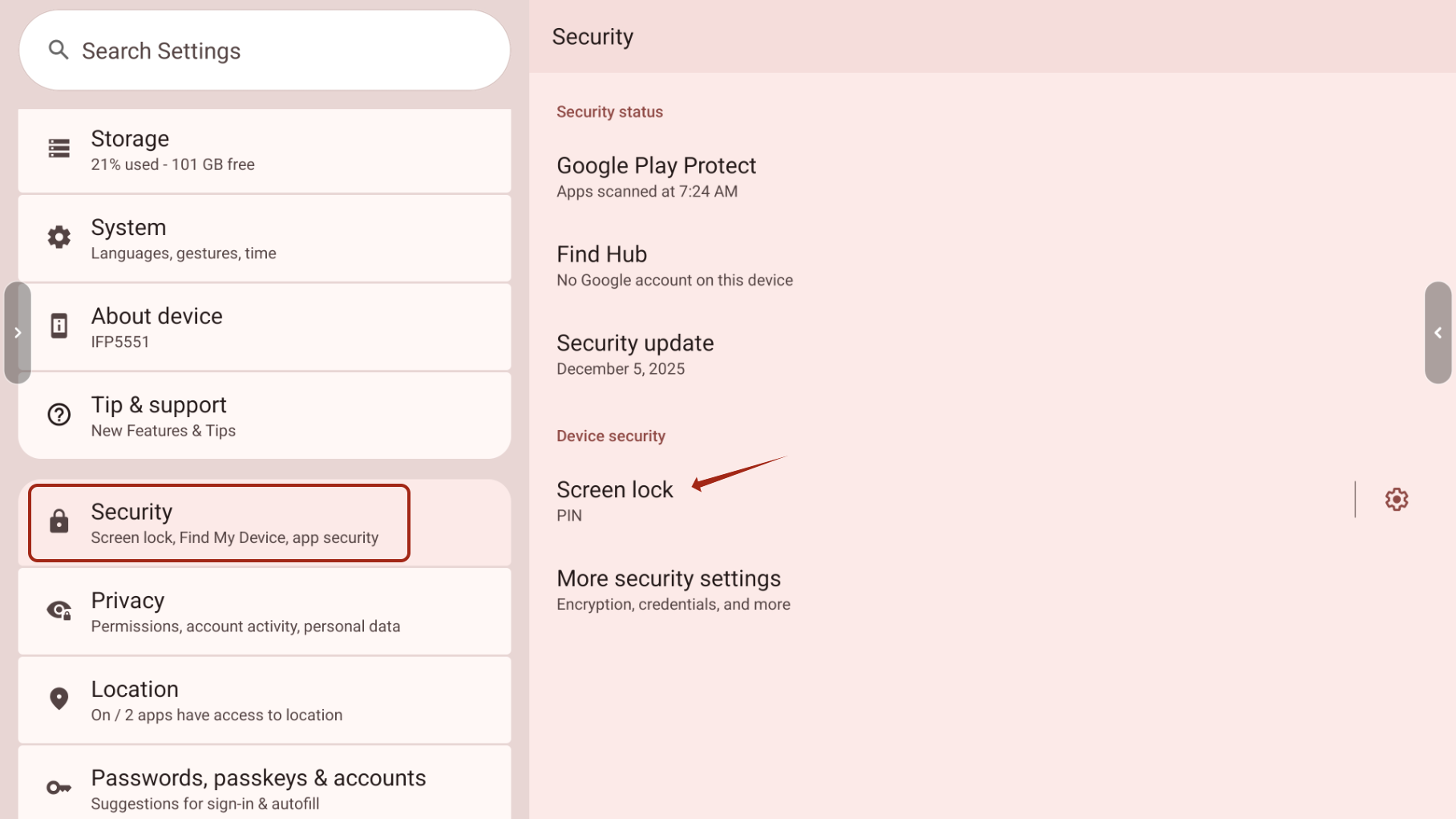
Go to Security & Privacy (or Security, depending on firmware), select Screen Lock, then enter the existing 4‑digit PIN.
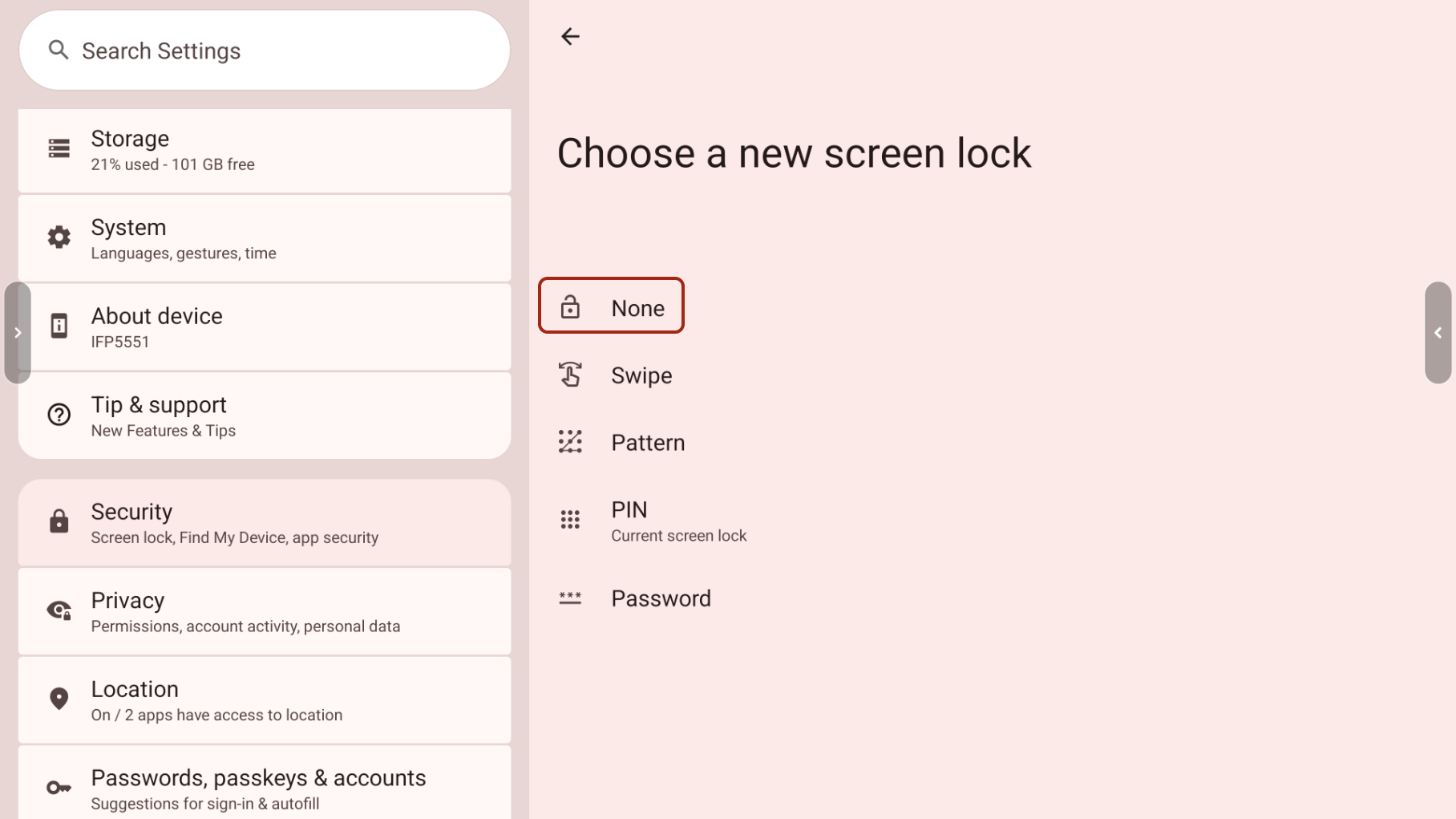
Choose None or Swipe to remove the PIN.
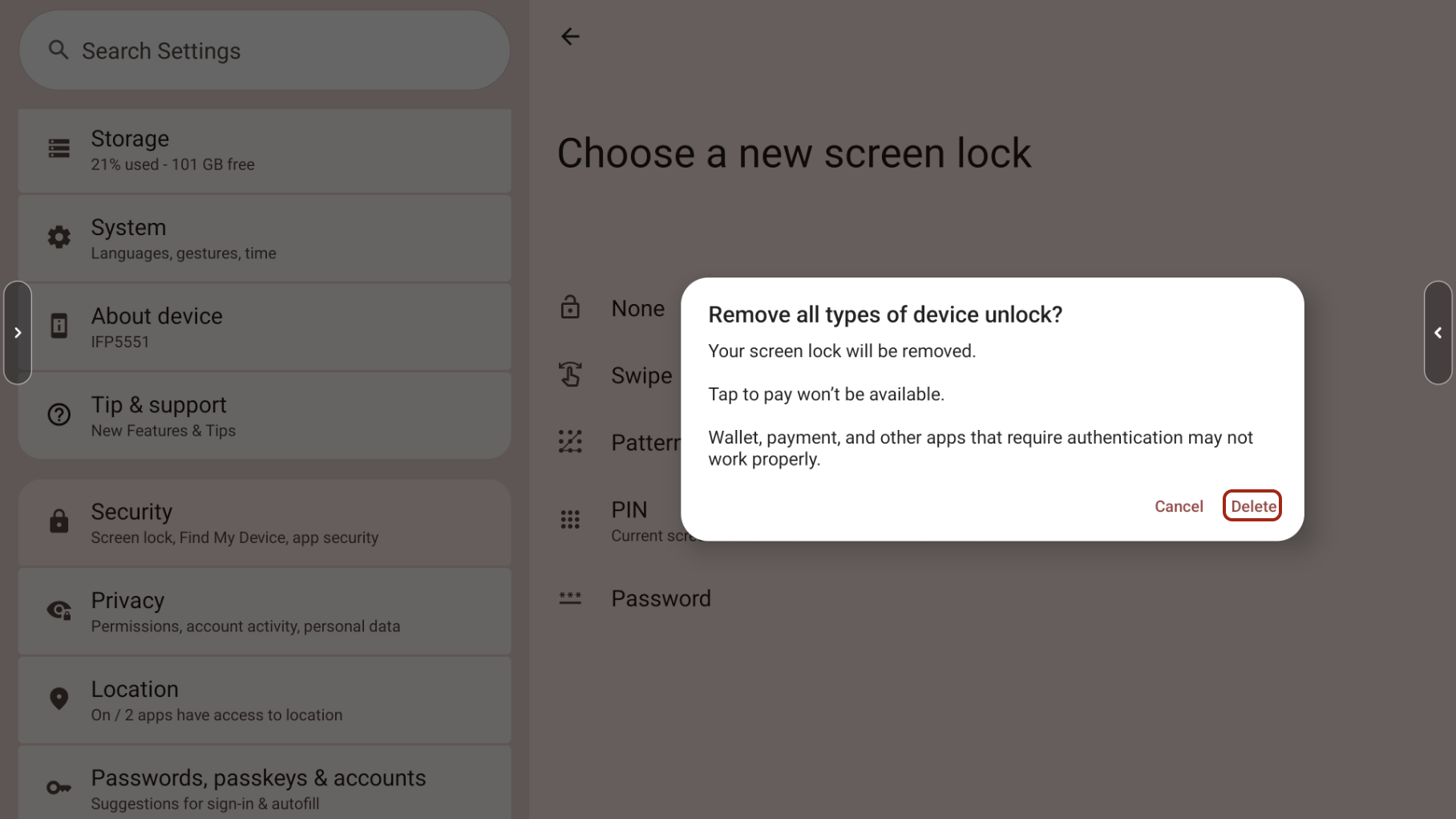
Then, select Delete to remove the 4-digit pin code
If an owner account was setup with an email address, please remove the mail address from the owner account before proceeding.
For additional questions, please contact ViewSonic's Support by submitting a support ticket HERE or by Phone: US: 800-688-6688, CAN: 866-463-4775. ViewSonic’s call center hours: M-F, 6 AM - 6 PM PST
Was this article helpful?
That’s Great!
Thank you for your feedback
Sorry! We couldn't be helpful
Thank you for your feedback
Feedback sent
We appreciate your effort and will try to fix the article