Affects:
EDLA Displays
IFP51
IFP52-2ED
IFP53ED
IFP41
Create a New User PIN via Owner Account (Recommended)
Precondition:
- Access to the Owner account PIN entry screen is available.
Procedure:
- Return to the Owner PIN entry screen.
- Open the Owner drop-down menu.
- Select Add user.
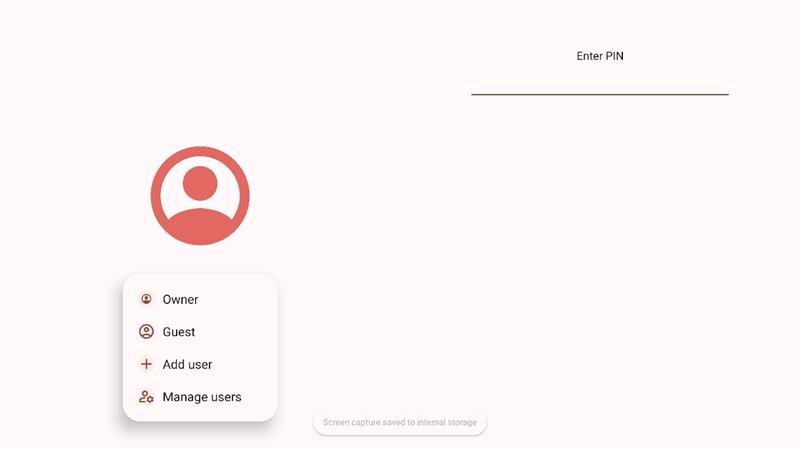
- Follow the on-screen setup process to:
- Create a new user profile
- Set a new PIN code
- Complete the setup and log in using the newly created PIN.
- The system will enter the ViewBoard main page successfully.
Notes:
- This method does not require firmware reinstallation.
- Existing system data and settings remain intact.
This is the preferred and least disruptive recovery method.
Was this article helpful?
That’s Great!
Thank you for your feedback
Sorry! We couldn't be helpful
Thank you for your feedback
Feedback sent
We appreciate your effort and will try to fix the article