Applies to:
ViewBoard IFP52-1C Series
Hardware Required:
USB Flash Drive (FAT32 formatted) How to format a USB Drive to FAT32
Identify the Correct Firmware Pack:
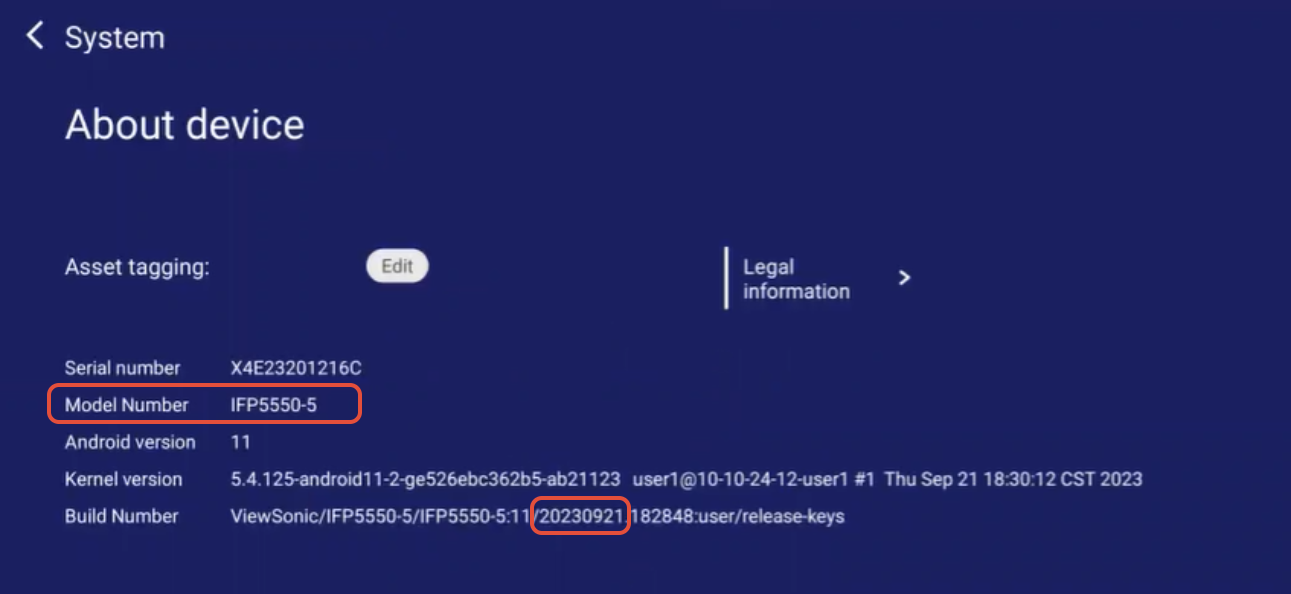
Verify the Model Number through the Embedded Player Settings. Go to Settings > System > About.
IMPORTANT NOTES
- Firmware pack updates are incremental, applying necessary fixes without wiping the display or resetting any
  settings.
- Certain models may have multiple firmware packs based on the panel code.
- Firmware pack update process may take approximately 9 minutes to complete.
- DO NOT unzip/extract the contents of the firmware pack. Copy as a .zip file
- DO NOT remove the USB drive after the display boots up until the initial setup wizard
  has been completed.
- DO NOT power off device during update as it may result in a non-functioning unit.
Download firmware pack
- ViewSonic IFP6552-1C, 65” ViewBoard® 4K Ultra HD Interactive Flat Panel
- ViewSonic IFP7552-1C, 75” ViewBoard® 4K Ultra HD Interactive Flat Panel
- ViewSonic IFP8652-1C, 86” ViewBoard® 4K Ultra HD Interactive Flat Panel
Instructions:
- Copy the IFPxx52-1C_Firmware_Pack_xxxxxxxx.zip file to the root directory of the USB flash drive.
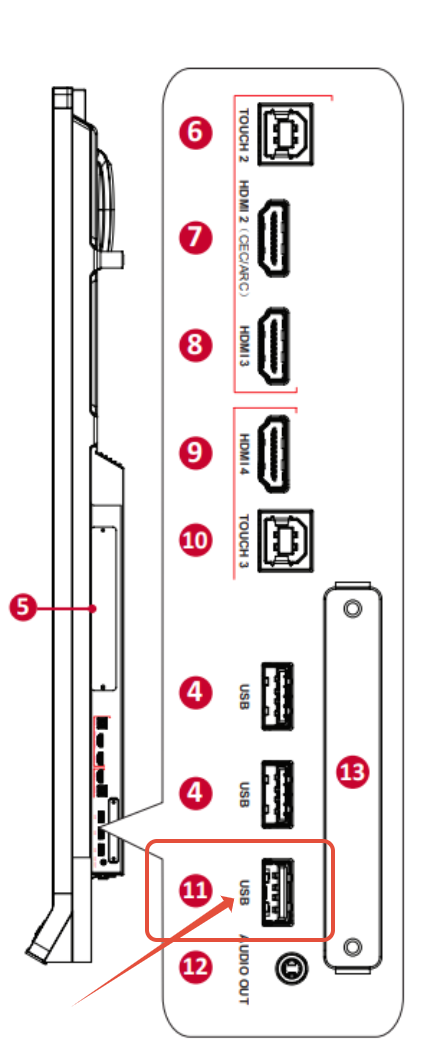
- Insert the USB drive into the USB port located on the side of the ViewBoard.
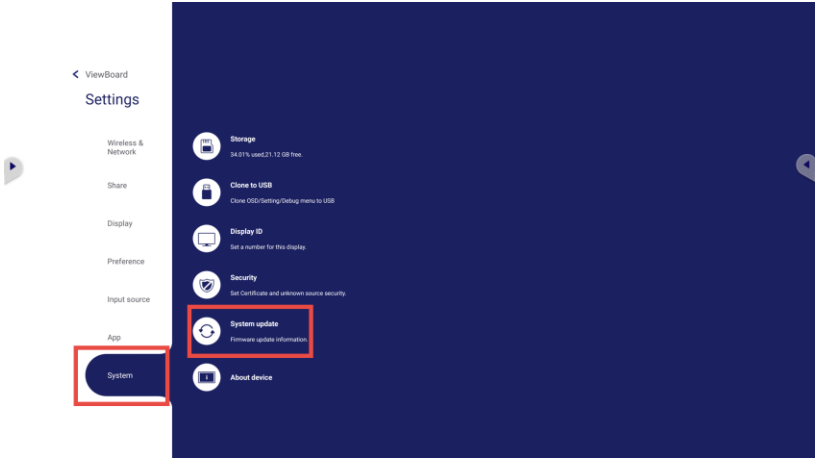
- Go to Settings > System > System Update.
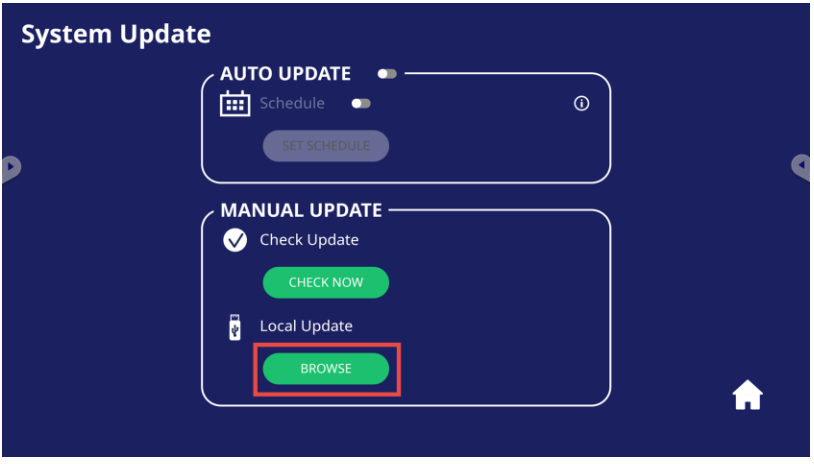
- Under Local Update, click BROWSE.
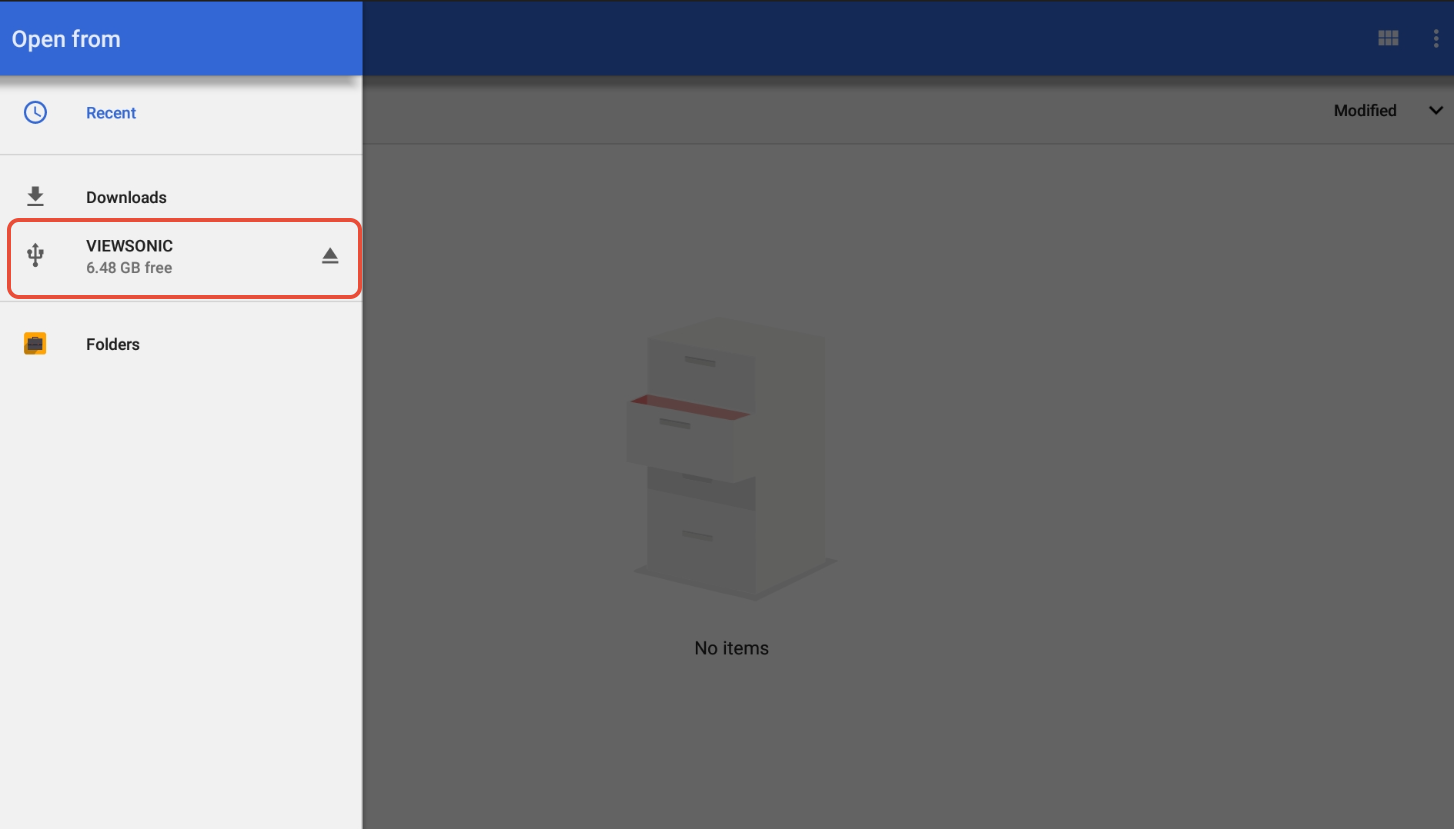
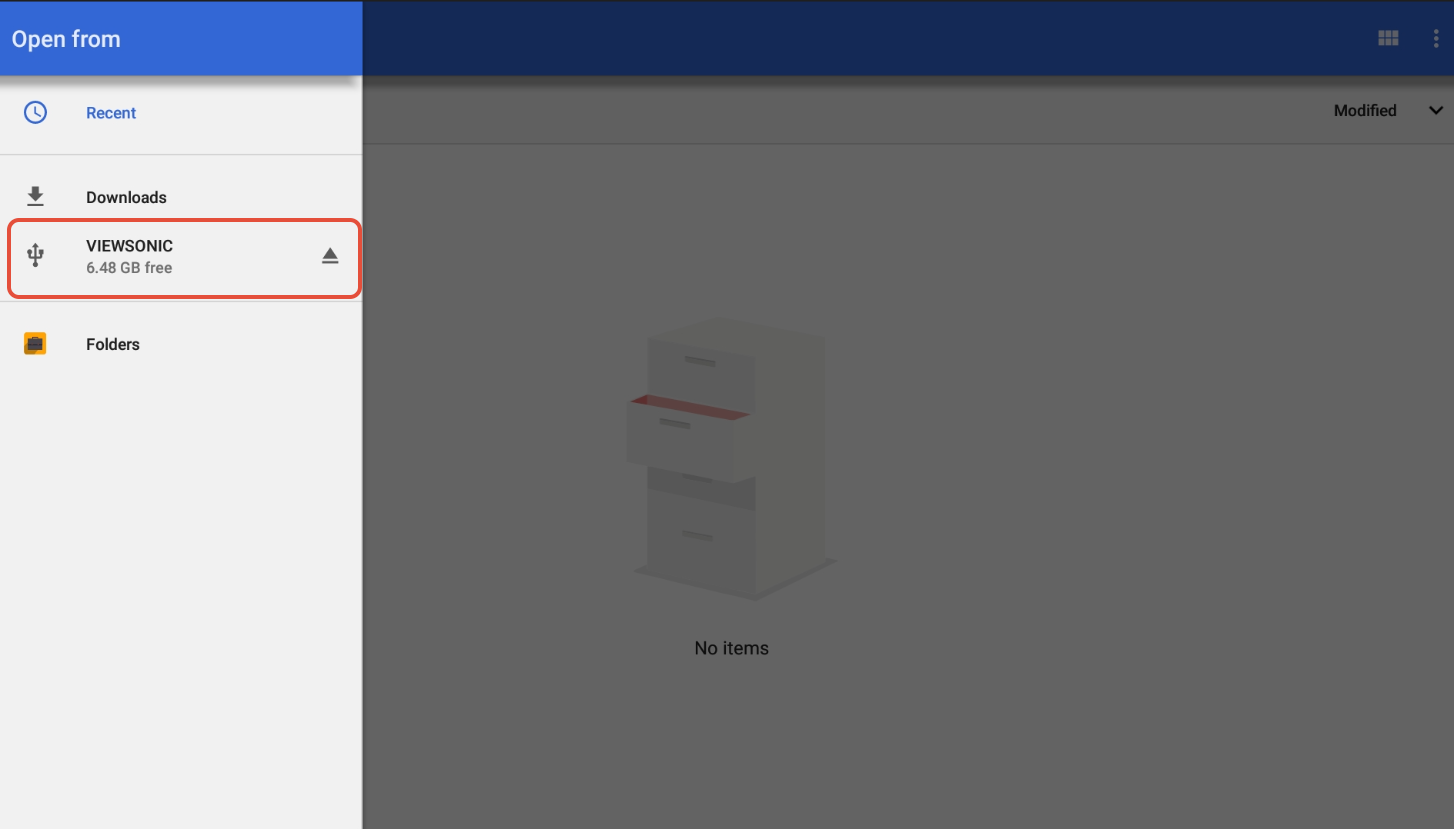
- Select the USB flash drive.
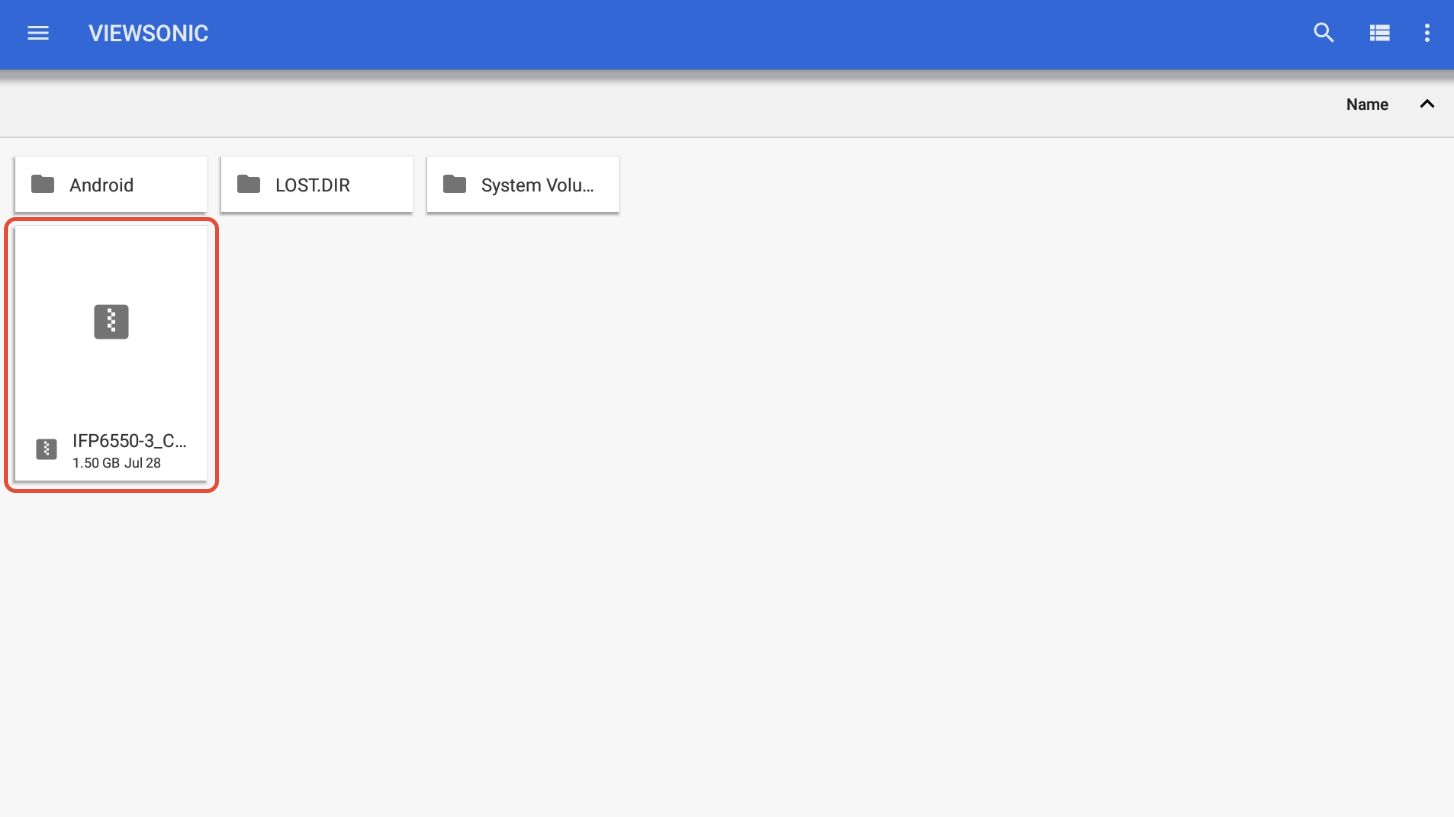
- Select the firmware file to start the update process.
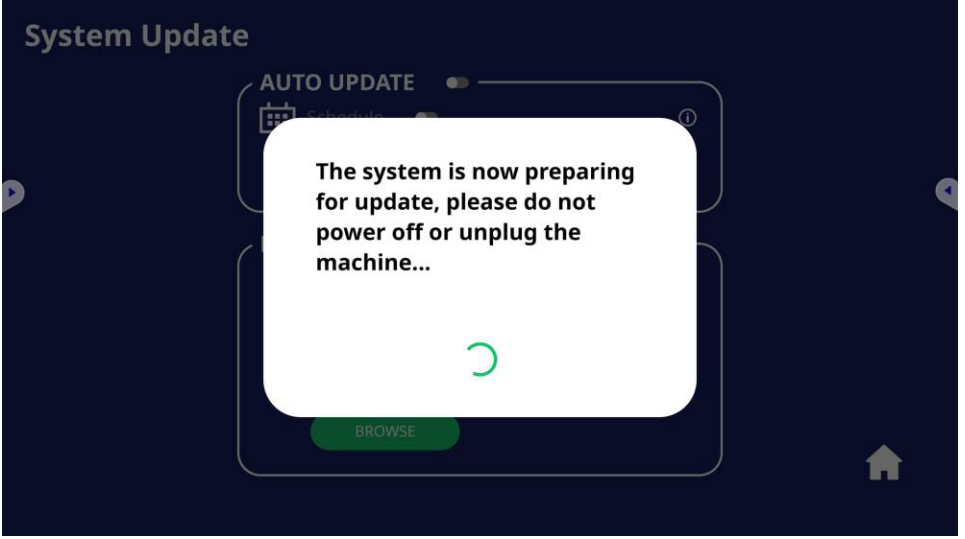
- Wait for the upgrade to complete and display to reboot.
- Once the unit reboots and returns to the ViewSonic Home screen, verify the unit's firmware version in the About Device. Go to Settings > System > About
For additional questions, please contact ViewSonic's Support by submitting a support ticket HERE or by Phone: US: 800-688-6688, CAN: 866-463-4775. ViewSonic’s call center hours: M-F, 6 AM - 6 PM PST.
Was this article helpful?
That’s Great!
Thank you for your feedback
Sorry! We couldn't be helpful
Thank you for your feedback
Feedback sent
We appreciate your effort and will try to fix the article